Boston Azure User Group


May 27, 2010 Boston Azure Meeting

1. Michael Stiefel on use of relational databases in the cloud

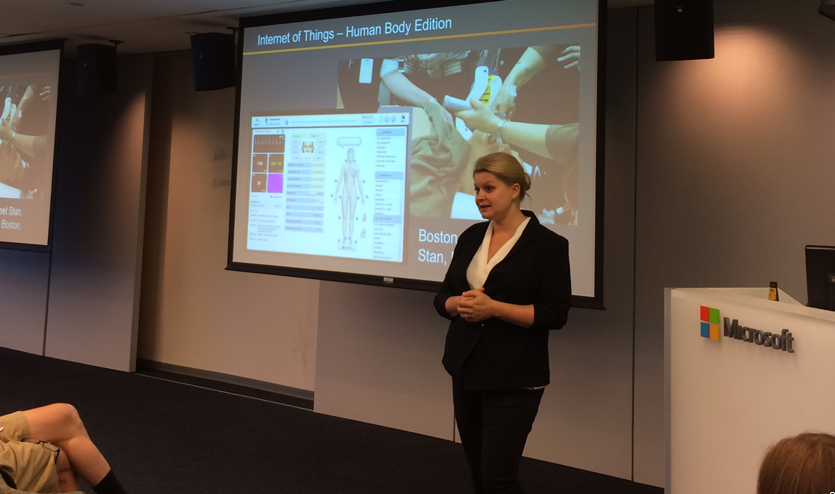
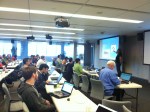
At the May 27, 2010 Boston Azure meeting, Michael Stiefel was the main speaker. Michael gave a talk (slides here) on when you might want to use SQL Azure vs. “NoSQL” Azure in the cloud.

Some key phrases, highlights (very rough!):

  • “Latency exists” – you need to care about it – and the speed of light matters - analogy to digging a hole: how fast you move the shovel
  • “Bandwidth is limited” – you need to care about it – with hole-digging analogy, this is the size of shovel
  • Computational Power gets cheaper faster than Network Bandwidth
  • Connectivity is Not Always Available – welcome to the world of occasionally-connected devices like laptops on airplanes and the boom in mobile devices
  • Waiting for Data slows computation
  • Human Interaction – thinking time – can add latency to any operation
  • Economics dictates scale out, not up
  • Availability or Consistency? What is the Cost of an Apology?
  • How consistent do you need to be? Weigh cost of consistency vs. cost oc of lost business… Business Decision!
  • Design for Eventual Consistency

The meeting had around 25 people in attendance.

2. Discussion of Boston Azure Project

As part of the May meeting we discussed a proposal for the Boston Azure Project – an open source, collaborative, Azure-hosted coding project to “gently overengineer the bostonazure.org web site” – by Azurizing it. The proposal met with enough enthusiasm that it was adopted and we are moving forward with it.

3. Next: June 24 Meeting is All About The Code

In the June 24 meeting (RSVP here) we will get started on the Boston Azure Project. We will spend from 6:00 – 8:30 talking about it, organizing, and getting started. Bring your Azure-powered laptop!

Cloud Computing on Microsoft’s Windows Azure platform is still new, but will be big. I believe that. That believe fueled my interest in starting the Boston Azure cloud computing user group (henceforth in this blog post, simply “Boston Azure”) back in the fall, even before Azure was released. Boston Azure is a cloud computing community group focused on learning about Azure.

Currently Boston Azure meets monthly on the 4th Thursday of the month in Cambridge, MA in the USA. This is an in-person meeting. I have received a loud and clear vibe from the Boston Azure membership that there is a thirst for more hands-on stuff. That was fueled further first by the hands-on Azure SDK meeting we held April 29, then again by the all-day Firestarter held May 8. But we need more. So, I had this idea for an ongoing community coding project that we can hack on together at Boston Azure meetings and other times… I bounced the idea off the community at the May meeting… since I received a really positive response, I now officially declare I plan to go ahead with it…

Introducing the Boston Azure Project

Why are we doing this Project?

The community wants to code. There is a desire to learn a lot about programming in Windows Azure – and what better way to get really good at programming Windows Azure than by programming Windows Azure.

The primary goal of the project is to learn – to get good – really good - at Windows Azure.

How will the Project work?

To be hands-on, we need a project… so here’s a project to provide us with focus:

We shall build a “gently over-engineered” version of bostonazure.org.

This “gently over-engineered” version of bostonazure.org:

(a) will provide a productive environment where participants (developers and otherwise) can learn about Azure through building a real-world application by contributing directly to the project (through code, design, ideas, testing, etc., …), and

(b) will do so by taking maximum advantage of the technology in the Windows Azure platform in the advancement of the bostonazure.org web site (though thinking of it as “just a web site” is limiting – there is nothing stopping us from, say: adding an API; exporting OData or RSS feeds; being mobile-friendly for our visitors with iPhone, Android, and Windows Phone 7 devices; etc.), and

(c) will serve the collaboration and communication needs of the Boston Azure community, and

(d) will provide an opportunity for a little fun, meet other interesting people, and enhance our skills through sharing knowledge and learning from each other.

When will we code?

We will reserve time at Boston Azure meetings so we can collaborate in-person on a monthly basis. Participants are also free to hack at other times as well, of course.

Wait a second… Does it make sense to port a little web site like bostonazure.org to Azure?

It does not make sense – not in isolation. Go ahead and crunch the numbers on Windows Azure pricing and compare with an ISP-hosted solution. However, this is the “gently over-engineered” part: we are doing it this way to show off the capabilities of Windows Azure and learn a bunch in the process.

What is the output of the Project?

This project will be feature rich, easy to use, accessible, flexible… and open source.

Keep in mind: Since bostonazure.org is the web presence for Boston Azure community…

It Has To Work!

This project is for and by the community.

Anyone can contribute – at any seniority level, with any skill set, with many possible roles (not just developers).

Then how do we reconcile anyone can contribute with it has to work? The community process needs to be able to make the code work before we put it into production. We have to make this work. And we will.

So, now you’ve heard it all – the whole idea – at least the Big Picture. I will post more details later, but for now that’s it.

Next Steps

Please contact me (on twitter or by comment to this blog post or by email) if you want to be one of the very first participants – I would like a couple of folks to be in a “private beta” to get some details squared away before I make the CodePlex site public.

Update 23-June-2010: The project is now live on CodePlex at bostonazure.codeplex.com.

Boston Azure Firestarter a Success!

We had 60-something folks attend the Boston Azure Firestarter (more photos) on May 8, 2010 in Cambridge, MA. This event provided both talks about important Azure concepts and hands-on-roll-up-your-sleeves-and-write-some-code Labs. Yes, attendees brought laptops! Feedback was positive. Many thanks to all the folks who helped make this event possible. This was a Boston Azure cloud computing user group event, supported by and hosted at Microsoft.

Many Thanks!

Those who helped prepare for the event, work the sign-in desk, help with technical problems, and handle the pair-programmer matching service included Nazik Huq, Chander Khanna, Joan Linskey, and Maura Wilder. Jim O’Neil and Chris Bowen (our East Coast Microsoft Developer Evangelists) were also on hand for trouble-shooting and general support and help.


Here was our speaker lineup:

  1. David Aiken from Microsoft’s Windows Azure team came from the left-coast in Redmond to the right-coast in Boston to keynote the event. David gave many demos, a couple of which were My Azure Storage and his new URL shortening service hmbl.me.
    David’s keynote was followed by:
  2. Bill Wilder: Roles and Queues talk + lab (http://hmbl.me/1OHBMZ)
  3. Ben Day: Azure Storage + lab
  4. Andy Novick: SQL Azure + lab (http://hmbl.me/1H46PK)
  5. Jim O’Neil: Dallas and OData (http://hmbl.me/1OHC5W)
  6. Panel Q&A (in the order shown in photo below): Mark Eisenberg (Microsoft), Bill Wilder, Ben Day, Jason Haley, and Jim O’Neil

After hours, a smaller group unwound at the sports bar over at the Marriott. This included Jim O’Neil, Maura Wilder, Joan Linskey, Bill Wilder, Sri from New Jersey, (okay, other names are vague!) …

Flaming Firestarter Logo

On May 8, 2010 there will be a Firestarter event focused on learning about Microsoft’s Windows Azure Cloud Platform. This FREE, ALL-DAY, HANDS-ON, IN-PERSON event will be held at the Microsoft NERD building in Cambridge, Massachusetts.

Here’s the idea…

You show up in the morning curious about Cloud Computing and the Windows Azure platform… and you leave at the end of the day loaded up from a crash-course/deep-dive into Azure, including a series of Azure-specific technical talks, Azure-specific programming experience (and working code), and access to resources to continue into the future…

Registration is now open!

Register at Eventbrite now.

What will be covered?

While we are still tweaking the schedule and exact contents, we didn’t want to delay opening registration. Rest assured the focus of the event is covering the most important Azure topics through a combination of informative talks and hands-on coding sessions.

We have some outstanding speakers lined up (including a keynote speaker we will announce soon).

More information on this community event – including a more complete/detailed schedule – will be updated progressively over the next few weeks on the web site of the Boston Azure cloud computing using group.

See you there!

[image credit: Firestarter logo built based on http://shaedsofgrey.deviantart.com/art/fire-45734782?moodonly=1 under Creative Commons Attribution-Noncommercial 3.0 License.]

The March 25th Boston Azure cloud user group meeting line-up includes the following:

6:00 – 6:45 PM – LAPTOP TIME! – if your laptop is capable of running IIS 7.x, bring it and we’ll help you configure it so you can program against Windows Azure. If you are already configured, come for LAPTOP TIME anyway and help out the others – or submit an entry to the Azure Code Project contest.

(pizza + salad will arrive during LAPTOP TIME)

6:45 – 7:00 – MAIN MEETING BEGINS with the Azure Update from Mark Eisenberg of Microsoft. Any questions about what’s happening with Azure? Want to hear some of the recent announcements? What’s moving and shaking in the Azure world? Join us at 6:45 to stay plugged in.

7:00 – 8:15 – INTUIT PARTNER PLATFORMIntuit‘s Alex Barnett (Group Manager for Developer Relations) and his colleague Jarred Keneally (Developer Relations Engineer) will talk about the Intuit Partner Platform, the fantastic synergy with Windows Azure, the recently announced agreement between Microsoft and Intuit, and the opportunity for developers.

8:15 – 8:30 – WRAP UP – Boston Azure announcements, SWAG/Give-Aways, and Update on the Azure Firestarter we will be hosting on Saturday May 8th at NERD (all day learning event).

Please RSVP to help us with the list for front-desk security and to make sure we order enough pizza and salad. Hope to see you there!

This is an update from an old post on Azure Development Requirements, this time focused on a reasonable stack of tools for Azure development. (The structure is based on list from Jason Haley which he prepared for a talk to the April 29, 2010 meeting of the Boston Azure cloud computing user group.)

How-To Configure an Azure Development Environment

0. Operating System Running IIS 7.x

No way of getting around the need for a Windows operating system that runs IIS 7.0 or IIS 7.5 — either directly or indirectly (see note below on using virtualization).

The operating system versions that support IIS 7.0 include:

  • Vista Business Edition and Ultimate

The operating system versions that support IIS 7.5 include:

What happens if I don’t have Vista, Win 7, or Server 2008?

There is one other hope. Use Virtual PC (or your favorite virtualization solution) and run an instance of a supported operating system in a virtual mode. (This blog post on creating a virtual machine image for Windows 7 using Virtual PC 2007 may help.)

Once you have an operating environment – real or virtual – the rest is the same.

How do I enable IIS 7.x to run?

If you are running a desktop version of Windows (Vista or Windows 7), it is likely you need to enable IIS through the control panel. Here are step-by-step instructions for enabling IIS 7.5 on Windows 7.

If you are doing this to prepare for the April 29 Boston Azure or the May 8th Firestarter meeting, please make sure you have enabled IIS7 with ASP.NET and have WCF HTTP Activation enabled.

1. Visual Studio

You need a copy of Visual Studio that supports Azure development. Currently your options are Visual Studio 2008 SP1Visual Studio 2010 (many editions), and Visual Web Developer 2010 Express Edition.

If you don’t know which version of Visual Studio to install, go with Visual Web Developer 2010 Express Edition (which is also free).

2. Windows Azure Tools and SDK

Download and install Windows Azure Tools for Microsoft Visual Studio 1.1 (Feb 2010) – this includes the Windows Azure SDK (and its samples)

Pay special attention to the first note at the top of that post:

Visual Studio must be run as an Administrator

You must run Visual Studio with elevated permissions when building Cloud Services for Windows Azure.

It is possible to create a shortcut that will launch Visual Studio with administrative permissions by setting the “Run as Administrator” checkbox in the Advanced Properties page of the Shortcut tab; this is available from the Properties menu option off of the context menu.

3. Microsoft SQL Server

A local installation of SQL Server is needed for local development work involving SQL Azure, Azure Table Storage, or Azure queues.

You only need to do this step if you didn’t install a version of SQL Server during Step 1 (above) while installing Visual Studio.

If you do not have a paid license for SQL Server, your best bet is to download a free copy of either Microsoft SQL Server 2005 Express or Microsoft SQL Server 2008 Express.

If you don’t know which version of SQL Server to install, go with Microsoft SQL Server 2008 Express (which is also free).

4. Windows Azure Platform Training Kit

At least for the April Boston Azure meeting, you will  also need the Windows Azure Platform Training Kit (Dec 2009 update) since Jason Haley (the main speaker) will assume we have this installed so he can reference it during the meeting.

5. Future Optional Extra Credit Tools

Once you have deployed to the cloud, you may also be interested in:

  • Fiddler (for IE) and Firebug (for Firefox) to spy on http traffic going back and forth to a deployed Azure app
  • What else?

6. Do You Have a Token?

If you are lucky enough to have a token for free (though time-limited) access to Azure services in the cloud, here’s How to Redeem an Azure Token.

Curt Devlin keynotes 4th Boston Azure User Group meeting

Identity, Claims, Geneva, and Trust in the Cloud

This was Boston Azure meeting #4, Feb 25, 2010

(Curt’s slide deck will be made is now available (PPT 2003 format))

Some notes from Curt’s talk:

  • Azure devs need to care about claims-based-identity and federated identity
  • Geneva is Microsoft’s solution in this space
  • Perfect storm of paradigm shifts
  • Caution: Geneva is not a panacea for “Identity in the Cloud”

“The most important thing Microsoft has done in identity since they came out with ActiveDirectory” – and think about how much we rely on AD for enterprise-class apps – “it’s like air”

First two lines of every program (with nod to Kim Cameron):

  1. Who are you?
  2. What are you allowed to do?
  • The answer to the second generally depends on the answer to the first. “Identity” is an input.

Big architectural problem: the ‘net was built w/o any way of knowing who you are connecting to (http has no identity)

  • RBAC (role-based access control) is not as flexible or powerful as claims
  • Any statement that can be validated can be a claim

Microsoft’s Federated Identity Group very focused on standards. To be serious also about Azure, you need to pay deep attention to the key standards.

Azure is only cloud solution REALLY solving the SSO problem in the cloud – and into your data center. Identity must flow…

Geneva Technology stack:

  • Microsoft Federation Gateway (“ADS 2.0 in the sky”)
  • Windows Identity Foundation (some .NET namespaces)
  • Active Directory Federation Services 2.0
  • Windows CardSpace 2.0

Curt will focus for a while in his talk on Windows Identity Foundation…

Consider three parties – Security Token Service, Your App, End User

  1. Secure Token Service <=> Your App – Initial handshake uses WS-Federation (metadata, X-509 cert)
  2. End User <=> Your App – claims via WS-Policy (which Security Token Service(s) I trust)
  3. End User <=> Security Token Service – verify policy
  4. End User <=> Security Token Service – WS-Trust
  5. End User <=> Your App – lots of interactions – signed tokens, claims

ADF 2.0 – same programming model across web and desktop

RP = relying party – someone that consumes tokens

PingIdentity.com

OpenID cannot help with Man-in-the-middle attacks

“Shred the token” is lingo meaning to decrypt a token.

Coded example showing implementation of Passive Federation.

  • Showed the 8 (!) prerequisites
  • Create full-trust app (Since runtime not fully baked in Azure yet – and certainly not yet in GAC)
  • Add a reference to Microsoft.IdentityModel (which is a stronger programming model than older System.IdentityModel)
  • using Microsoft.IdentityModel.Claims;
  • using System.Threading;
  • Then write like 5 lines of code…
  • Subclasses from IIdentity, IClaimsIdentity, IClaimsPrincipal (same ones used in other .NET apps)
  • WIF ASP.NET Processing Pipeline does a lot of behind-the-scenes work for us
  • IsInRole method is key
  • Then in the ASP.NET app, there is some 10 lines of key code for X-509 cert – which contains the URL (or domain, really) of the web site that the cert applies to – a problem with “localhost” and “stage.foo.com” etc. due to mismatch – this goes in Global.asax – plus several other blocks of code…

Now for the STS (which you don’t need if you have ADFS 2.0)

  • There is a Token Service for ASP.NET visual studio template with Geneva install
  • Many coding steps here (see slides)
  • Use FedUtil (which comes with Geneva and VS 2008, VS 2010) to create a trust between your application and your STS
  • There is a lab to create your own STS

Claims-based systems externalized the work of AuthZ, AuthN to your STS – not stuck in your code.

Geneva supports delegation – embedding one token within another…

(21 people at the meeting)

Boston Azure meeting to feature Microsoft’s Curt Devlin on Identity in the Cloud

Thursday February 25, 2010 at NERD in Cambridge, MA

The following is an update to the agenda for the upcoming Boston Azure User Group meeting this coming Thursday.

logo for BostonAzure.org

To RSVP for the meeting (helps you breeze through security and helps us have enough pizza on hand), for directions, and more details about the group, please check out http://BostonAzure.org.

To get on the Boston Azure email list, please visit http://bostonazure.org/Announcements/Subscribe.

[6:00-6:30 PM] Boston Azure Theater

The meeting activities begin at 6:00 PM with Boston Azure Theater, which is an informal viewing of some Azure-related video. This month will feature the first half of
Matthew Kerner‘s talk on Windows Azure Monitoring, Logging, and Management APIs from the November 2009 Microsoft PDC conference.

[6:30-7:00 PM] Upcoming Boston Azure Events and Firestarter

Around 6:30, Bill Wilder (that’s me) will first show off an interesting CodeProject contest, then will lead a discussion about the future of the Boston Azure user group and the upcoming All-Day-Saturday-May-8th event.

Curt Devlin will take the stage at 7:00 PM.

Before the meeting, if you want a little more context, you may wish to read Kim Cameron’s essay The Laws of Identity, which is an insightful analysis of challenges around Identity.

[7:00-8:15] Featured speaker: Curt Devlin of Microsoft

Photo of Curt Devlin, Architect at Microsoft

Abstract

The Azure platform presents new challenges for identity management. As developers and architects, we will still have to answer the same two perennial questions: 1) Who are you? 2) And what are you allowed to do? But the traditional on-premise approaches to authentication, authorization and identity lifecycle control are not adequate to meet these new challenges. The Geneva suite of technologies for claims-based identity management can be help because cloud computing can be thought of as a “special case” of federation, with many similar requirements. Together these two paradigms appear to be converging to create the perfect storm of paradigm shifts. However, even WIF, ADFS 2.0 and CardSpace 2.0, will only take us part way to a complete solution in the near term. This session will provide a simple recipe for claims-based identity management in Azure using Geneva, discuss some of the most important reasons why this is necessary, and finally some of the shortcomings we will still have to contend with on the road ahead. The aim is to educate, motivate, and caution.

About Curt Devlin

Curt Devlin is currently an architect in Microsoft DPE (Developer & Platform Evangelism) focusing on distributed solutions across many industries and customer segments. Curt is a Microsoft veteran of many technology wars, with more than 20 years of experience developing solutions on the Windows and .NET. platforms. He is also a dyed-in-the-wool New Englander with avid interests in sailing, skiing and nearly everything else.

Curt blogs as the philosophical architect, plus you can check out his MSDN articles Enterprise Authorization Strategy and SaaS Capacity Planning: Transaction Cost Analysis Revisited.

Curt’s blog post announcing his participation in this meeting: http://blogs.msdn.com/curtd/archive/2010/02/23/an-evening-with-identity-in-the-clouds-and-the-boston-azure-user-group.aspx

This was the third meeting of the Boston Azure User Group! (You can get on the group mailing list here.)

We watched a clip from the first day of PDC where Ray Ozzie and others talk Azure in the keynote

Discussed idea of an Azure Firestarter event – possibly for May 8, 2010 – and this seems to flow nicely from our scheduled April meeting where Jason Haley is scheduled to talk about getting started programming in Azure, such as with the Azure SDK.

Ben Day spoke on Windows Azure storage. Some quick notes / points from his talk:

  • Relational databases have a schema – all rows in a table have same columns, structure is defined before pouring in any data, data is not repeated (third-normal form breaks out data to appear only once – no redundancy)
  • … database will manage transactions across tables
  • … though mixed with replication can provide performance challenges
  • This changes for Azure Table Storage!
  • … though Azure Table Storage can scale way better – horizontally (“out”) whereas traditional SQL RDBMs tend to scale best vertically (“up”) – to larger boxes – which is more limiting and tends to be more expensive.
  • Do we need to rethink what needs to be transactional? Can we use a simplified transactional model – such as just within one table – or one instance of one table…
  • … compensating transactions are another approach
  • Securely storing data
    • Encrypt (compute is cheap)
    • If you encrypt a key, it won’t work for indexing
    • Search is harder if you encrypt
  • String columns have a 64KB size limit for Table Storage – so reference larger objects in a Blob
  • Unit testability
    • Abstract away you r persistent store, such as with Repository pattern – so you can unit test
    • Encapsulate business logic, such as with Service Layer and Domain Model patterns
    • Extract logic from UI using MVP (Model View Presenter)
    • Use Mock objects
  • Ben will come back to finish the story!

Around 23 attended.

Second meeting of Boston Azure User Group

Guest speakers were Michael Stiefel and Mark Eisenberg

Meeting was held December 3, 2009 at the Microsoft NERD

We opened with Boston Azure Theater, kicking off a few minutes after 6:00.  For around 45 minutes we watched a video of Microsoft Director Manuvir Das’ PDC talk A Lap Around the Windows Azure Platform.

From there, Microsoft’s Mark Eisenberg walked us through a summary of key Windows Azure announcements made at (or right before) the Microsoft PDC in November. The deck Mark used is available BAUG_PDCHighlights. There was a lot of interest in the announcement details and in the pricing model.

Our keynote speaker, Michael Stiefel, followed with a detailed look into the project “Dallas” announcement, showcasing the Dallas “Data as a Service” platform, working through sample apps, a custom mashup – with code, demonstrating the straight-forward programming model (ATOM feeds), and showing use of the data directly within Excel. Michael wrapped up by reviewing the business model – and discussing the interesting possibilities (publishers can publish – and others can consume – data so much more easily than today since Microsoft will have eliminated the “contract friction” we’d have if every consumer had to strike a deal with every publisher).

Next Page »