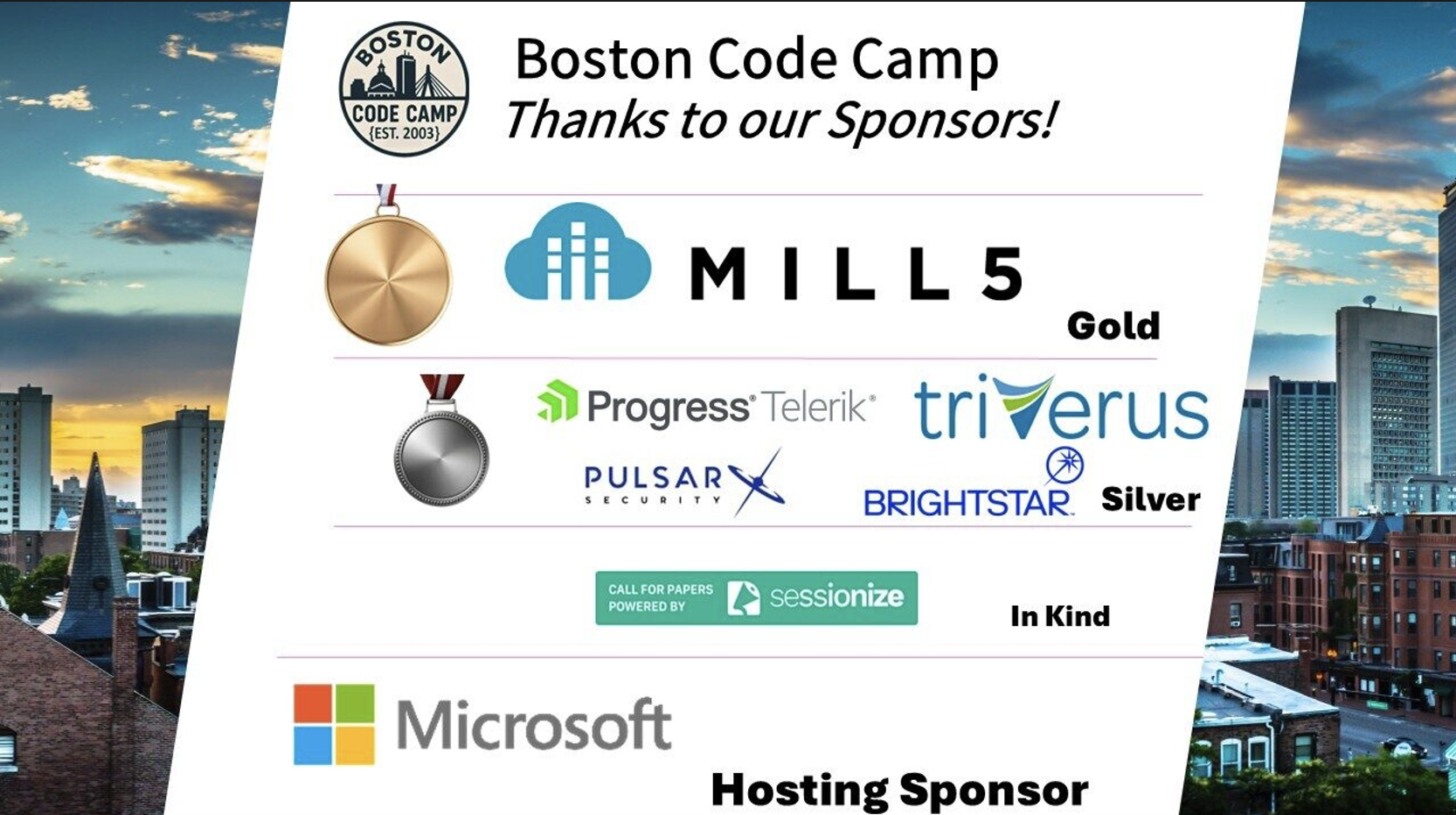
I helped organize Agent Camp Boston which was an all-day in-person event where attendees showed up with laptops for a day of learning AI from a series of talks and labs. We had around 60 participants. We stayed caffeinated, hydrated, and fed from generous sponsorship from technology company Daymark which is also celebrating their 25th birthday (happy bday Daymark!).
It was jointly offered by Global AI and Boston Azure AI communities.
The topics and other details of the day can be viewed on the Meetup signup page (https://www.meetup.com/bostonazureai/events/314980519/).
I wore two hats for Agent Camp Boston – one hat was as an organizer. Another hat was in my role as a presenter. Above is some context about the event, but the remainder of this post will focus on my role as a speaker. I was part of the AI stack panel, plus I created and presented an MCP & x402 lab. The lab made the point (and showed how) AI Agents can rent MCP tools with the x402 protocol.
DESIGN.md and LEGIBLE DESIGN INSTRUCTIONS
I participated in the panel (with Jason and Ashwin). Recall that part of my stack was DESIGN.md which can specify and encode a visual design system.
During the panel we were asked to describe our day-to-day tool stack for building with AI. Since it wasn’t so different from what many others are using, I won’t repeat most of my stack here, but will call out the one point that I think was most different: I am using DESIGN.md.
I was a speaker at the Boston UXPA 2026 conference last month, co-presenting the talk “Beyond ChatGPT: Your New Coworker is an AI Agent” (see my short writeup on LinkedIn here) and the audience was mostly product managers, product designers, and UX researchers. That audience all knew about design systems so the idea of DESIGN.md landed.
However at Agent Camp, it didn’t seem to land so clearly. So I asked the audience if they knew about design systems and got only 1 or 2 hands to go up.
First let me say what it is not. We can informally decide that architecture design will go into ARCHITECTURE.md and we know our agent will be able to read this and make sense of it. Let’s call this the “informal convention” pattern. Other examples of the informal convention pattern might be ADR.md (architecture decision records – have a look if you don’t know!), BUGS.md, and BACKLOG.md. These “informal conventions” basically just assert that there’s a bunch of related stuff in these files. It is a rather reasonable approach since LLMs handle it fairly well in mid-2026.
Even the ubiquitous AGENTS.md is mostly an informal convention since the content structure is not specified, but at least the name is officially agreed upon by the many AI tools.
You familiar with SKILL.md? This is different. The structure of an AI SKILL is formally specified and includes filesystem layout and the contents of the SKILL.md file itself. Front matter is specified, for example. This is definitely in the “formal specification” department.
A recent specification proposal from Google would add DESIGN.md to the “formal specification” category for AI Agents. This is what I mentioned at Agent Camp. DESIGN.md has a repo, a spec, and a structure (including YAML). Quoting from the spec:
A DESIGN.md file has two layers. The YAML front matter contains machine-readable design tokens — the precise values agents use to enforce consistency. The markdown body provides human-readable design rationale organized into
##sections. Prose may use descriptive color names (e.g., “Midnight Forest Green”) that correspond to systematic token names (e.g.,primary). The tokens are the normative values; the prose provides context for how to apply them.
There is also a linter tool in the repo.
In the language of the day: You can make your design system (which colors, fonts, and other visual elements are used where – and WHY) legible (legible means understandable to AI) so your AI tools can follow your standards when you ask it to create visual surfaces (surfaces are web apps, mobile apps, APIs, CLIs, MCP servers).
MCP / x402 LAB
I ran a lab focused on Model Context Protocol (MCP) and the x402 payment protocol. The focus was on how AI Agents can rent MCP tools with the x402 protocol.
This lab is described below. The repo for the lab is on GitHub at CrankingAI/ipfacts-lab and contains all the instructions, so the following is offered for additional illumination.
EXERCISE 1 (demonstrate first failure mode)
The lab comes preconfigured with an AI Agent written in python using Microsoft’s open source Agent Framework library. Your first task was to run the lab code “as is” to see what happens – asking the agent to research and provide some facts about an IP address you provide. If you run the exercise a few times with the same IP address you will find that the agent is not returning consistent results – or “hallucinating” as the AI community calls it. The remedy comes in the next step.
EXERCISE 2 (fix first failure mode)
The second task is to give the agent access to tools. This helps “ground” the agent with reliable data so it can consistently and accurately answer the questions. Rerunning the agent with the IP address from the first exercise now yields consistent, accurate results.
When we say “give the agent access to tools” we mean tools from an MCP server. MCP servers can do more than make tools available, but that’s the most common function and the one focused on in the lab.
The MCP tools and data are provided by IP Facts which is an experimental service designed to provide some basic information about IP addresses. Some example IP facts are:
- IP version: IPv4 or IPv6
- Public or Private (some IP ranges are intended for public use, others for intranet or other specialized uses)
- It is a Tor Exit Node (Tor is a publicly available privacy-protecting tool – it is common for network security tools to care whether a connection is coming from Tor)
- Is it hosted by AWS or Azure (Amazon and Azure and other public cloud providers publish their IP ranges)
- Country of origin (two character ISO-3166 country codes – like “CL” for Chile, “IN” for India, or “US” for United States)
You can check out IP Facts interactively at ipfacts.com but the lab used the MCP server at https://mcp.sandbox.ipfacts.com/mcp – we’ll come back to why “sandbox” appears in that URL.
EXERCISE 3 (demonstrate second failure mode)
The third exercise asks the user to expand the job of the agent to give more details – specifically adding in the country code for that IP address.
Most of the above IP facts listed above are available in a single tool from the MCP server, but one particular fact – from which country does the IP address originate – comes from a second tool. And the lab sets a bit of a trap because it uses the x402 protocol to CHARGE THE AGENT FOR THE DATA.
In the lab the amount charged was 1/100th of one cent – which was expressed as 100 atomic = 0.0001 – where “atomic” is a term from the cryptocurrency/token world.
Non-payment flow: The flow when calling the tool that DOES NOT REQUIRE PAYMENT is very simple – the lab agent calls the tool over HTTP and useful results are returned with HTTP 200 status. The HTTP 200 status means SUCCESS. This was the tool used in the above step, but is not sufficient here since it does not include the country code for the IP.
Payment flow: The flow when calling the tool that DOES REQUIRE PAYMENT is a little more of a dance – the agent calls the tool over HTTP and no data results are returned but rather some payment requirements are returned with HTTP 402 status. The HTTP 402 status means PAYMENT REQUIRED. The included “payment requirements” include how much does this cost (1/100th of a USD cent in our case) and what are the accepted types of payment (USDC in our case).
USDC is “USD Coin” (where USD means US dollar) – a digital currency created and maintained by Circle. USDC is known as a “stable coin” because 1 USDC is essentially equal in value to a dollar in regular US (fiat) dollar. This makes it easy to transfer known amounts of money digitally – such as between AI agents. If instead we used Bitcoin or other “traditional” cryptocurrency, we’d have to calculate how much Bitcoin is needed to match our price. Bitcoin values vary a lot over time. It is definitely possible to exchange money with non-stable coins, but less complex with a stable coin.
Since the agent is not yet equipped to make payments, it fails (the country code is not produced). It sees the HTTP 402 status code and doesn’t know how to handle it.
An accurate nit might be that the flow in the Lab is not exactly as described above. I describe the conceptual flow here. See the lab code for exact details. One of the points made during the lab was that we made the choice for the 402 processing to be done in deterministic code (meaning not in the LLM). There’s a mechanism in the lab using a middleware “hook” provided by Agent Framework to handle 402 processing (according to the x402 standard) using deterministic code. Enabling this deterministic code is what EXERCISE 4 does.
EXERCISE 4 (fix second failure mode)
And remember the we’ll come back to why “sandbox” appears in that URL comment from above? A “sandbox” is a term from the cryptocurrency world and it means (technically) we are on a testnet – a shadow blockchain with no real value. In plain English, this means the lab did not use real money. Of course, this is what makes it ideal for a lab – it is not real money. But rest assured – the mechanisms used in the lab can also process mainnet (real money version) blockchains. Other than the safeguards in the lab to require the quote MUST be the Base Sepolia testnet, the changes to support real money are config values.
We fix the second failure mode by enabling support to handle the HTTP 402 status.
We can now see payments flowing from the agent’s wallet to the IP Facts wallet such as the publicly viewable wallet address for the IP Facts sandbox. The “0.0001” entries below match the 1/100th of a penny price put on the MCP tool that returns country code for the IP address. So this is a great historical record of how the lab participants exercised that MCP tool path. This is all testnet USDC (aka “fake” money) for testing. As stated elsewhere in this post, the CODE CAN ALSO WORK WITH REAL USDC; just that would have been a more complicated lab exercise.
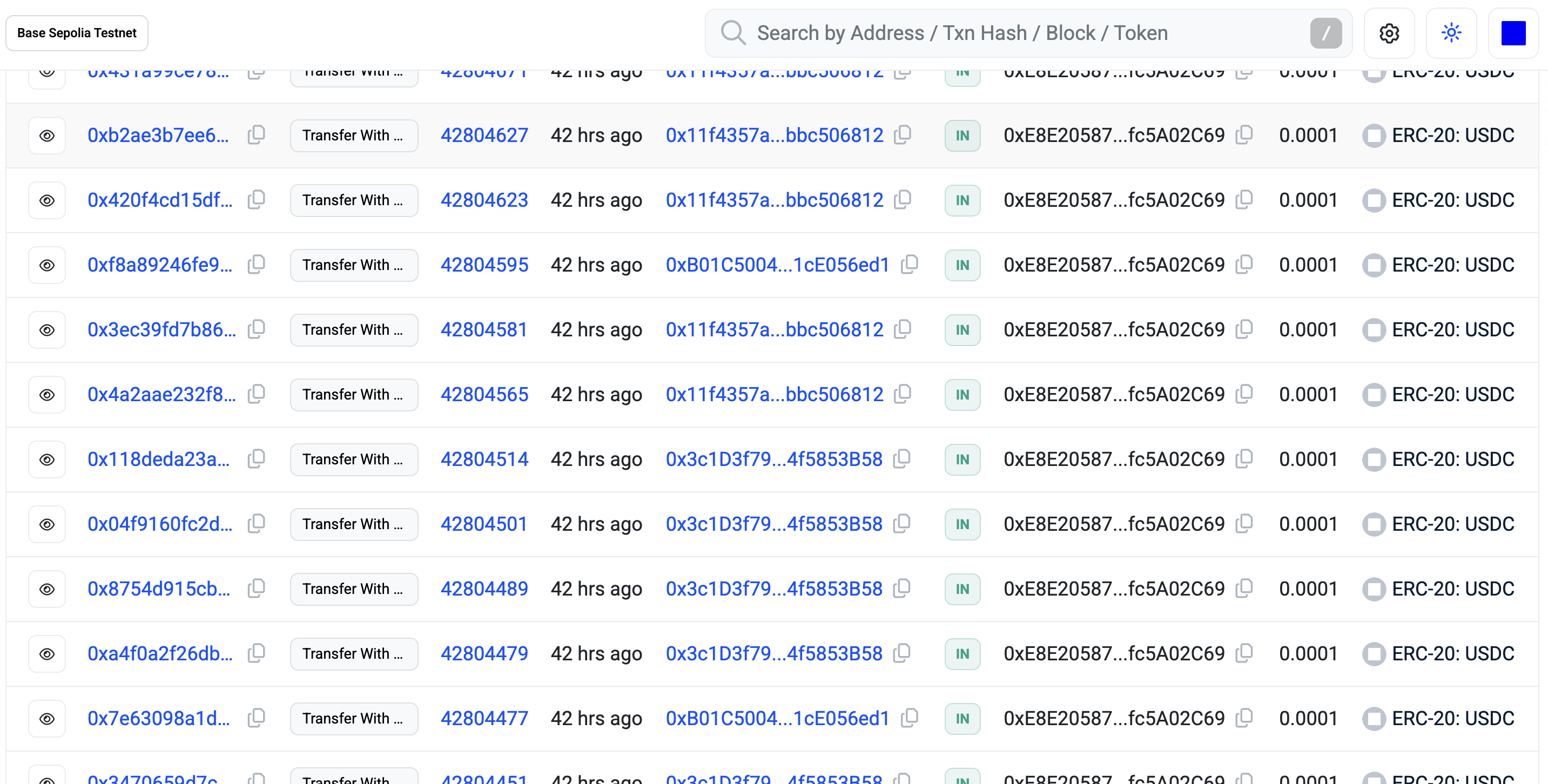
Each of the “0.0001” entries above is from a lab participant buying data from the https://mcp.sandbox.ipfacts.com/mcp MCP server.
EXERCISE 5 and BEYOND
Further lab exercises are included in the CrankingAI/ipfacts-lab repo. We won’t cover them here, but one point worth making:
The agent and the x402 payment middleware never hardcodes MCP tool names or tool behaviors.
This is a big deal. Compare that to an API where names and params and details are all burned in tightly. The labs do offer the possibility to explore this further – and I demonstrated it at one point by having the two tools SWAP NAMES but otherwise keep their functionality. And the lab agents still worked fine. This is a different mindset than an API.
GLIMPSING AT THE MCP SERVER WITHOUT DOING THE LAB
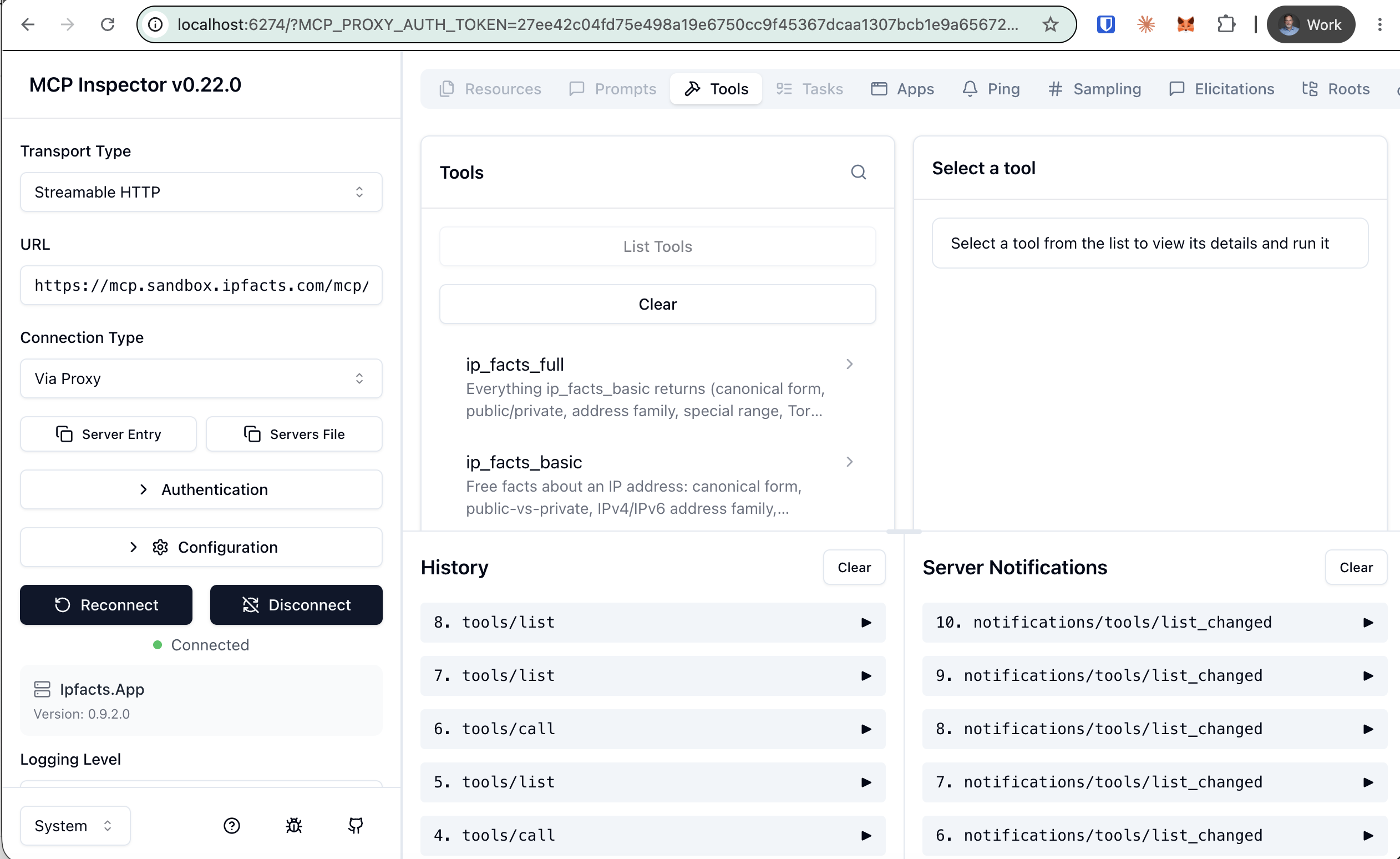
Try the lab’s MCP server yourself – no lab code needed. Point an MCP inspector
at https://mcp.sandbox.ipfacts.com/mcp and be sure to specify “Streamable HTTP” as the transport,
and you’ll see the tools it currently advertises which are probably ip_facts_basic (free) and ip_facts_full (paid, with fake USDC). The free tool just works. The paid returns an x402
(payment-required response) that your favorite inspector will not handle automatically.
Official MCP Inspector (runs locally, needs Node.js): npx @modelcontextprotocol/inspector
Source: https://github.com/modelcontextprotocol/inspector
This is the tool I used during the lab, and here’s some of the flow I demonstrated – including the “Server Notifications” that fired when I reconfigured the tool names.
Other tools that require no install are also available, such as: https://glama.ai/mcp/inspector
CONCEPTS & TERMINOLOGY
Background reading or elaboration on the ideas and terms referenced above.
Design & agent files
Design systems (Nielsen Norman Group): https://www.nngroup.com/articles/design-systems-101/
DESIGN.md: https://github.com/google-labs-code/design.md
AGENTS.md: https://agents.md
Agent Skills / SKILL.md: https://docs.claude.com/en/docs/agents-and-tools/agent-skills/overview
Architecture Decision Records (ADR): https://adr.github.io
Agents, MCP & the framework
Model Context Protocol (MCP): https://modelcontextprotocol.io
Microsoft Agent Framework: https://github.com/microsoft/agent-framework
x402 & payments
x402 payment protocol: https://x402.org
x402 (deeper / spec): https://github.com/coinbase/x402
HTTP 402 Payment Required (MDN):
https://developer.mozilla.org/en-US/docs/Web/HTTP/Reference/Status/402
USDC & stablecoins (Circle): https://www.circle.com/usdc
Base Sepolia testnet (Base docs): https://docs.base.org
Add value to your USDC testnet wallet: https://faucet.circle.com/
View your USDC balance using the explorer: https://sepolia.basescan.org (example link to transactions view of https://mcp.sandbox.ipfacts.com wallet)
Networking terms
Tor / Tor exit: https://www.torproject.org
ISO 3166 country codes (Wikipedia): https://en.wikipedia.org/wiki/ISO_3166-1_alpha-2
AI Terminology
Legible: machine-readable / understandable to an AI agent. Our lab makes certain facts about IP addresses “legible to our AI agent” so it can reason about them.
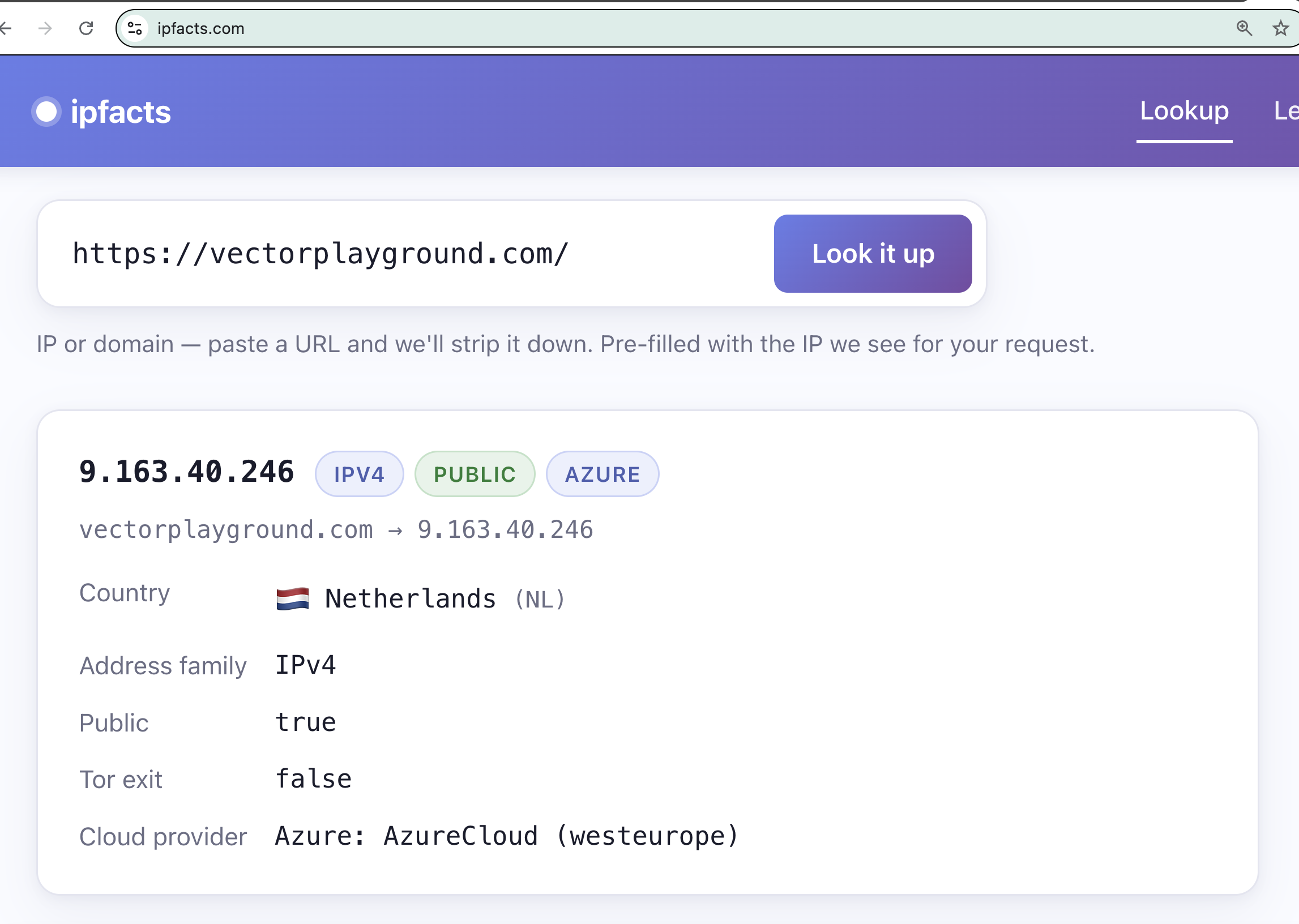
Surface: a realization of product functionality such as via web app, mobile app, API, CLI, or MCP server – here is the Web App surface for IP Facts (at https://ipfacts.com) in action:
Hallucination: https://en.wikipedia.org/wiki/Hallucination_(artificial_intelligence)
Grounding: https://cloud.google.com/vertex-ai/generative-ai/docs/grounding/overview
AI agent: https://en.wikipedia.org/wiki/Intelligent_agent
Tool use / tool calling: https://docs.claude.com/en/docs/agents-and-tools/tool-use/overview
Large language model (LLM): https://en.wikipedia.org/wiki/Large_language_model
Embedding model: https://en.wikipedia.org/wiki/Sentence_embedding
Vector database: https://en.wikipedia.org/wiki/Vector_database
Semantic similarity: https://en.wikipedia.org/wiki/Semantic_similarity
SOURCE CODE
- The lab exercises are in the CrankingAI/ipfacts-lab repo.
- I briefly showed the Vector Playground app – a tool for comparing text strings for semantic similarity using an embedding model which is an AI model, but is not a general purpose large language model (LLM). This is the key technology behind vector databases. Run it at vectorplayground.com and source code is in the CrankingAI/vectorplayground repo.
PRESENTATION
My lab was mostly demos, but here is the deck I used to set it up.