Tag Archives: cloud

GitHub Copilot Agent Mode for the Win: I added a new Tool to MCP Server with Single Prompt

Along with fellow panelists Jason Haley, Veronika Kolesnikova (the three of us run Boston Azure AI), and Udaiappa Ramachandran (he runs Nashua Cloud .NET & DevBoston), I was part of a Boston Azure AI event to discuss highlights from Microsoft’s 2025 Build conference. I knew a couple of the things I wanted to show off were GitHub Copilot Agent mode and hosting Model Context Protocol (MCP) tools in Azure Functions.

What I didn’t realize at first was that these would be the same demo.

I started with a solid sample C#/.NET MCP server ready to be deployed as an Azure Function (one of several languages offered). The sample implemented a couple of tools and my goal was to implement an additional tool that would accept an IP address and return the country where that IP address is registered. The IP to country code mapping functionality if available as part of Azure Maps.

I started to hand-implement it, then… I decided to see how far GitHub Copilot Agent mode would get me. I’ve used it many times before and it can be helpful, but this ask was tricky. One challenge being that there was IaC in the mix: Bicep files to support the azd up deployment, AVM modules, and many code files implementing the feature set. And MCP is still new. And the MCP support within Azure Functions was newer still.

Give GitHub Copilot Agent a Goal

The first step was to give the GitHub Copilot Agent a goal that matches my needs. In my case, I gave Agent mode this prompt:

The .NET project implements a couple of Model Context Protocol (MCP) tools – a couple for snippets and one that says hello. Add a new MCP tool that accepts an IPv4 IP address and returns the country where that IP address is registered. For example, passing in 8.8.8.8, which is Google’s well-known DNS server address, would return “us” because it is based in the USA. To look up the country of registration, use the Azure Maps API.

And here’s what happened – as told through some screenshots from what scrolled by in the Agent chat pane – in a sequence that took around 12 minutes:

I can see some coding progress along the way:

A couple of times the Agent paused to see if I wanted to continue:

It noticed an error and didn’t stop – it just got busy overcoming it:

It routinely asked for permissions before certain actions:

Again, error identification – then overcoming errors, sometimes by getting more up-to-date information:

Second check to make sure I was comfortable with it continuing – this one around 10 minutes after starting work on the goal:

In total 9 files were changed and 11 edit locations were identified:

Deploy to Azure

Using azd up, get it deployed into Azure.

Add MCP Reference to VS Code

Once up and running, then I installed it in VS Code as a new Tool – first click on the wrench/screwdriver:

Then from the pop-up, scroll the the bottom, then choose + Add More Tools…

Then follow the prompts (and see also instructions in the GitHub repo):

Exercise in VS Code

Now that you’ve added the MCP server (running from an Azure Function) into the MCP host (which is VS Code), you can invoke the MCT tool that accepts an IP and returns a country code:

domain-availability-checker% dig A en.kremlin.ru +short
95.173.136.70
95.173.136.72
95.173.136.71
domain-availability-checker%

Using the first of the three returned IP addresses, I ask within the Agent chat area “where is 95.173.136.70 located?” – assuming that the LLM used by the chat parser will recognize the IP address – and the need for a location – and figure out the right MCT tool to invoke:

I give it one-time permission and it does its thing:

Victory!

Check Code Changes into GitHub

Of course, using GitHub Copilot to generate a commit message:

Done!

Connect with Bill and Boston Azure AI

Boston Azure AI: Boston Azure is changing calls signs

I was in the audience at the Microsoft PDC on Nov 3, 2008 where Windows Azure was unveiled on stage by Ray Ozzie in the conference’s opening keynote. At the 16:45 mark he graciously tipped his hat to Jeff Bezos and the AWS team, then announced Windows Azure – a platform with two services: Azure Storage (Blobs, Tables, Queues) and Cloud Services (Web Roles, Worker Roles) – all with the illusion of infinite scale. Later that same day I got hands-on Windows Azure coding experience in a special booth staffed by Microsoft engineers (and it turns out that the impressive engineer helping me was Sriram Krishnan (@sriramk)). I got to test drive those new super-cool Azure services. From my perspective this was the beginning of the conversation about Platform as a Service (PaaS) in the cloud – and the start of horizontal scale as a mainstream architecture pattern. What an event! Around 15 months from this initial announcement, on Feb 1, 2010, Windows Azure reached “GA” (general availability).

In between the initial announcement in 2008 and the GA date in 2010, Boston Azure was born. On Oct 22, 2009, Boston Azure debuted as the first community group of its kind – the first one dedicated to learning about the Azure platform. As of this writing, it has around 3.500 members according to Meetup.com.

(For a long time after we started hosting events we had people attending other events see our signage and curiously pop their head in to ask “What’s Azure?” When I’d answer “that’s Microsoft’s public cloud platform” they would very often react with a puzzled look and a follow-up question: “Cloud? What’s a cloud?” So yes, those were early days.)

That first event was held at the Microsoft NERD building in Cambridge MA. Mike Werner said a few words, I gave a short talk about cloud benefits and the coming opportunity (and somehow managed to reference “the Internet is … a series of tubes” comment by Alaska Senator Ted Stevens) and Brian Lambert (@softwarenerd) was the featured speaker who talked about queuing patterns in Azure Storage which was part of my journey of getting interested in cloud-relevant patterns (which culminated in me writing a book – Cloud Architecture Patterns – a few years later). Michael Stiefel was Boston Azure’s second-ever speaker.

Heady days from 2008 to 2010!

The times they are a-changin’

“You better start swimmin’ or you’ll sink like a stone, for the times they are a-changin’.” –Bob Dylan (https://www.youtube.com/watch?v=DL_kPNFL3dY and do yourself a favor and check out the movie A Complete Unknown).

A few things have changed since then. The PDC conference is no longer – though content has been subsumed into the Build conference. Windows Azure is now just Azure. There are hundreds of Azure services, not two. And Ray Ozzie is no longer at Microsoft (but has the Blues in the best sense of the word).

And Boston Azure is still at it. We’ve delivered more than 150 free events and still going strong. Now also delivering events virtually since the you-know-what made in-person events so difficult. Back in the early days George Babey and Nazik Huq signed on to help me run things. These days – and for some time now – our leadership team is Jason Haley (@haleyjason), Veronika Kolesnikova (@veronika_dev1), and me.

But technology continues to evolve, and we need to evolve too. Today Artificial Intelligence is playing a role similar to the role played by public cloud platforms back 15 years ago: everything is different so what does that mean? what will come out next? what does this make possible? how can I make use of this? how do I learn this stuff? This is exciting, right??

Changing Call Sign to Boston Azure AI

With no end in sight for AI to slow down, the three of us running Boston Azure – Veronika Kolesnikova (@veronika_dev1), Jason Haley (@haleyjason), and myself (@codingoutloud) – have decided to update our community group for 2025 by changing call signs – Boston Azure is now Boston Azure AI.

We’ve been emphasizing AI topics for a while already. Veronika is a long-time Microsoft MVP for AI, Jason is a long-time Microsoft MVP for Azure who last year was reclassified to the AI category, and myself as a long-time Azure MVP was re-classified last year as Dev Tools (presumably due to giving so many talks on GitHub Copilot, the AI coding assistant, in the prior year), so this emphasis also aligns with where the group’s leadership is spending time. At any rate, this rename should at least help us more clearly communicate to the community what we intend to offer.

Where to Find Boston Azure AI

With the rename, we are retooling some of our properties. Some are new, some are renamed from bostonazure version. You can find us at the following destinations:

  • X/Twitter: 🐦 https://x.com/bostonazureai – renamed, so if you followed before you are still following
  • Bluesky: 🟦 https://bsky.app/profile/bostonazureai.org – yeah, we did the fancy domain version 😉
  • YouTube: 🎥 https://www.youtube.com/@bostonazureai (renamed) – we have more than 50 videos posted
  • GitHub: 🛠️ https://github.com/bostonazureai – created a new GitHub Organization for this and will be migrating over the old content, including the C# + Semantic Kernel + Azure OpenAI hands-on workshop materials shortly (see bottom of this post for more – we are running an event on Jan 31)
  • Meetup: 📅 https://meetup.com/bostonazureai – renamed, so if you were a member before you are still a member
  • Website: 🌐 https://bostonazureai.org – coming soon
  • Email: ✉️ hello@bostonazureai.org – we used a gmail address for the first 15 years, but now we are getting fancy with the bostonazureai.org domain. Hit us up if you want to offer a talk (in person or virtual) or have a suggested topic for us!

And, fittingly, we also have a shiny new logo.

The Boston Azure AI logo shows Boston skyline within a cloud outline and text Boston Azure AI
Boston Azure AI

Hands-on AI Coding Workshop: C#, .NET 9, and Semantic Kernel on Azure OpenAI

In another evolution, Jason Haley and I are experimenting with offering Boston Azure AI in-person hands-on AI coding workshops during the workday. The community events we’ve historically offered have been only nights and weekends – non-working hours. We’ll see how this works out. We have our second such in-person during-the-workday hands-on coding workshop focused on using C#, .NET 9, and Semantic Kernel on Azure OpenAI coming up on Fri Jan 31, 2025 held in Cambridge MA. You can sign up here. Free.

And we have a weekend event on the schedule to participate in Boston Azure edition Boston Azure AI edition of the Global AI Bootcamp in March. You can sign up here. Free.

Buckle in. Looking forward to an exciting next few years!

🤖 ☁️

Talk: Hello Semantic Kernel and Giving your AI a Goal

At Virtual Boston Azure tonight Jason Haley and I teamed up to talk about ways Gen AI can be integrated with your existing systems. In the case of existing enterprise software systems, many are written in C# and Java, both languages supported by Semantic Kernel. Semantic Kernel also supports Python, which is a great language, but all things being equal using a language and technology stack already familiar to your team is also attractive. So considering a library like Semantic Kernel is a productive angle when looking across the spectrum of AI tools.

Much of my talk was focused on how to use Semantic Kernel (in C# and .NET 8) to give your AI a goal and have it solve it. The deck I presented and a recording of the talk follow. <I will likely update this post to link to code used in demo and as other artifacts become available>

Talk: Season of AI at Boston Azure

Last night at Boston Azure I teamed up with Jason Haley to cover the current Azure AI topics from the Microsoft-created Season of Azure program. An engaged group showed up at NERD in Cambridge to hear all about it.

Jason Haley’s code and materials are here: https://jasonhaley.com/2024/06/25/boston-azure-june-2024/

For my part, I pulled content from Generative AI for .NET Developers and Getting Started with Azure AI Studio and blended in some of my own. The combined mega-deck is attached to this post, though the deck spans much more than I had time to go through.

If you attended and have not had opportunity to give some feedback to Microsoft, there are only a few quick questions.

Take the survey here: aka.ms/AttendeeSurveySeasonOfAI

Additional Resources

Also complements of the Season of AI team, check out these resources.

Join the Azure AI Community on Discord

Connect with fellow enthusiasts, engage with Microsoft experts and MVPs, discuss your favorite sessions, and delve into AI discussions. Your space to ask, share, and explore!

aka.ms/AzureAI/Discord

Get started skilling with AI on Microsoft Learn

Build AI skills, connect with the community, earn Microsoft Credentials, learn from experts, and take the Cloud Skills Challenge.

aka.ms/LearnAtAITour

Download Deck Bill Presented

A diagram we spent time on (slightly updated, source here):

And finally, the deck I used follows:

And here are a couple of the links I showed during the talk that got a lot of discussion or attention:

  1. https://platform.openai.com/tokenizer
  2. https://platform.openai.com/docs/models/gpt-4-turbo-and-gpt-4

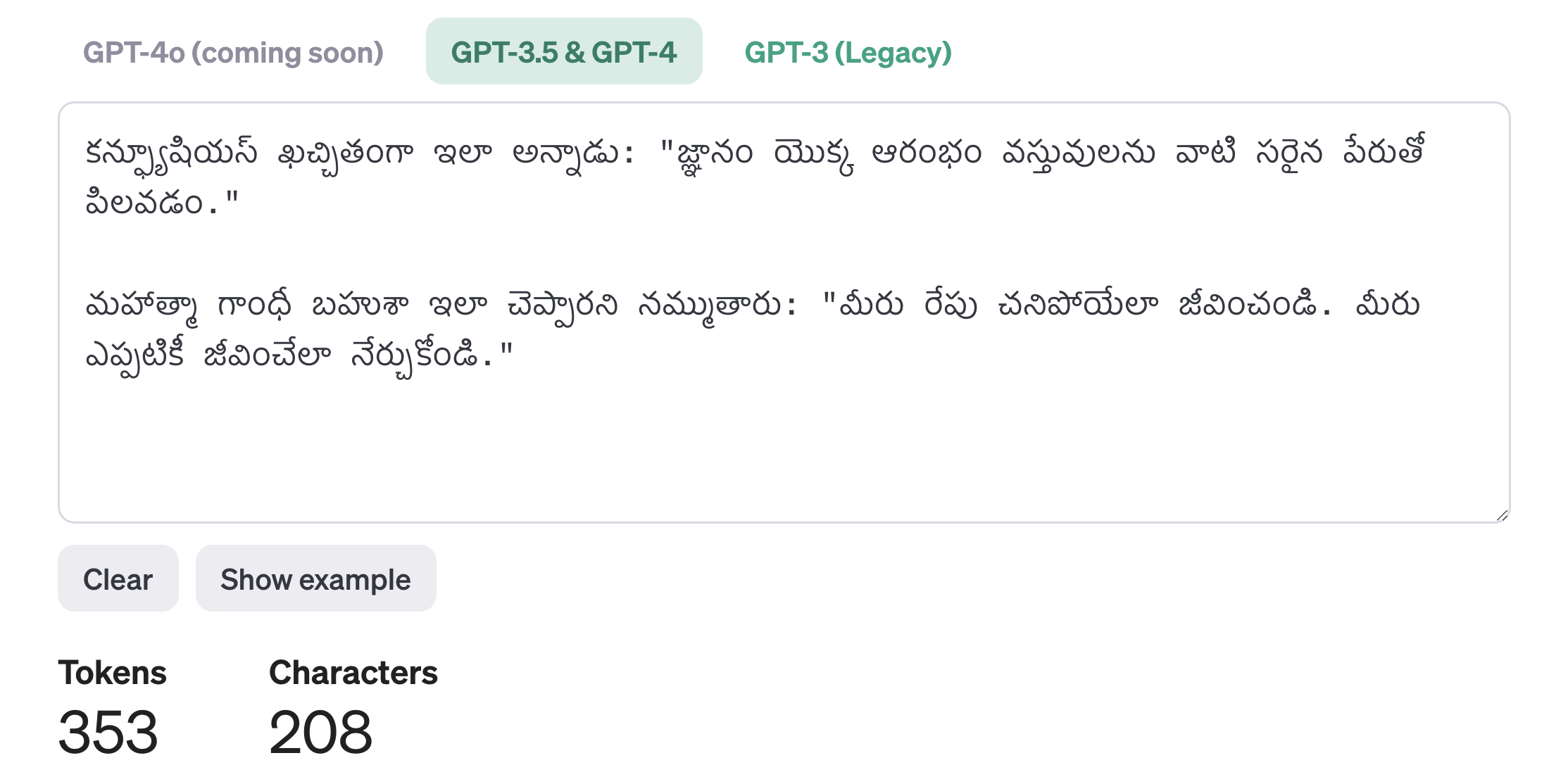
Recall the third one shown – Telugu – was wildly more expensive (in terms of token count) than English (50 tokens) and Chinese (75 tokens) – where Telugu weighed in at 353 tokens.

Talk: Running #Azure Securely – Turning on the WAF

Tonight I had the opportunity to speak at #VirtualBostonAzure to talk about raising the visibility of security signals in your environment by turning on your WAF. In demos the WAF available in Azure Front Door was used.

Slides:

YouTube:

https://www.youtube.com/watch?v=OWXTtCUNmes&feature=youtu.be

Talk: Are all these #Azure security features for me?

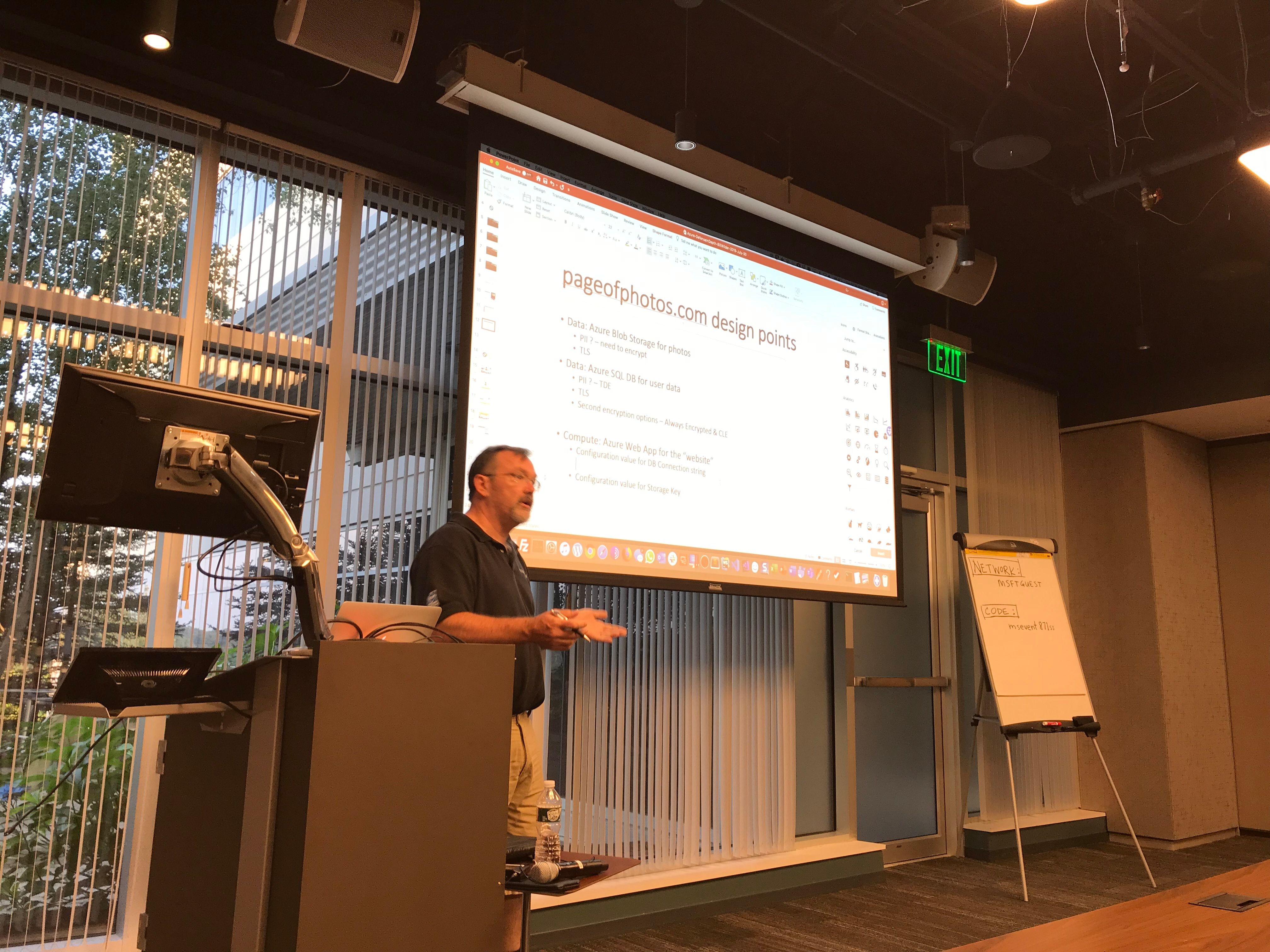
On Tuesday July, 30, 2019 I had the opportunity to speak at North Boston Azure. The talk was part of a series on Running Azure Securely and was called Are all these Azure security features for me? and was not really a “talk” in that it was highly interactive. For those who attended, you will recall we filled in some slides collaboratively. Thus, they may not appear so polished for those of you who did not join live. Either way, please find the slides (“collaborative” and all) below.

highres_483599366

This was an experimental approach for me and the feedback from the audience tells me it worked pretty well. The group at North Boston Azure was already knowledgeable and engaged, so hopefully made for a interesting experience for all involved (was certainly fun for me).

Azure-DefenseInDepth-BillWilder-2019-July-30

You can follow me on Twitter (@codingoutloud).

You can also follow Boston Azure on Twitter (@bostonazure).


Talk: Running Azure Securely — PART I — Boston Azure 18-Oct-2018

At most recent Boston Azure meeting I give (what turns out to be…) the first part of a multi-part talk on Running Azure Securely. Even though I did not cover all this content, I’ve attached the whole powerpoint deck below.

BostonAzure-RunningAzureSecurely-BillWilder-2018-Oct-18

Please watch for a Part II to be scheduled.

Talk: Azure Best Practices – How to Successfully Architect Windows Azure Apps for the Cloud

Webinar Registration:

  • Azure Best Practices – How to Successfully Architect Windows Azure Apps for the Cloud @ 1pm ET on 13-March-2013
  • VIEW RECORDING HERE: http://bit.ly/ZzQDDW 

Abstract:

Discover how you can successfully architect Windows Azure-based applications to avoid and mitigate performance and reliability issues with our live webinar
Microsoft’s Windows Azure cloud offerings provide you with the ability to build and deliver a powerful cloud-based application in a fraction of the time and cost of traditional on-premise approaches.  So what’s the problem? Tried-and-true traditional architectural concepts don’t apply when it comes to cloud-native applications. Building cloud-based applications must factor in answers to such questions as:

  • How to scale?
  • How to overcome failure?
  • How to build a manageable system?
  • How to minimize monthly bills from cloud vendors?

During this webinar, we will examine why cloud-based applications must be architected differently from that of traditional applications, and break down key architectural patterns that truly unlock cloud benefits. Items of discussion include:

  • Architecting for success in the cloud
  • Getting the right architecture and scalability
  • Auto-scaling in Azure and other cloud architecture patterns

If you want to avoid long nights, help-desk calls, frustrated business owners and end-users, then don’t miss this webinar or your chance to learn how to deliver highly-scalable, high-performance cloud applications.

Deck:

Book:

The core ideas were drawn from my Cloud Architecture Patterns (O’Reilly Media, 2012) book:

book-cover-medium.jpg

Hosted by Dell:

image

Spoke at CT .NET User Group about Cloud Architecture Patterns for Building Cloud-Native Applications in Windows Azure

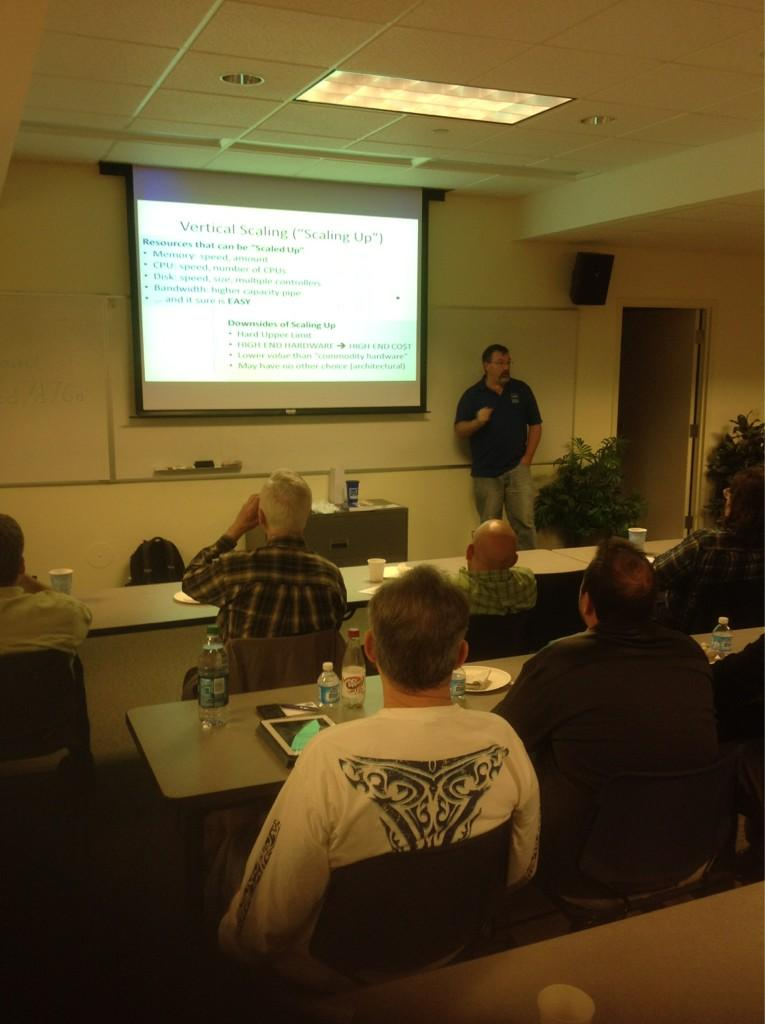
On October 9, 2012, I was pleased to speak to the Connecticut .NET Developers Group. It was really fun since the crowd was extremely engaged. 🙂 There was a lot of good back-and-forth discussion.

This was the talk abstract:

Just because we get an application to run on cloud infrastructure does not ensure that it runs well. To truly take advantage of the cloud we need to build cloud-native applications. The architecture of a cloud-native application is different than the architecture of a traditional application. A cloud-native application is architected for cost-efficiency, availability, and scalability. We will examine several key architecture patterns that help unlock cloud-native benefits, spanning computation, database, and resource-focused patterns. By the end of the talk you should appreciate how cloud architecture is more demanding than you might be accustomed to in some areas, but with high payoff such as handling failure without downtime, scaling arbitrarily, and allowing aggressive cost-optimization.

All the concepts and patterns I spoke about are also discussed in my recently released book, Cloud Architecture Patterns:

Cloud Architecture Patterns book

More info on the book is here:

www.cloudarchitecturepatterns.com

If you do read the book, I’d very much appreciate a short review on Amazon.

Also, please stay in touch via twitter (@codingoutloud) or email (my twitter handle at gmail). Got Azure or Cloud questions? Feedback on the book? Please reach out.

And the slide deck I used is attached here:

Architecture Patterns for Building Cloud-Native Applications — CT.NET — 09-Oct-2012 — Bill Wilder (blog.codingoutloud.com)

Get ready to “Meet #WindowsAzure” in a live streamed event June 7 at 4:00 PM Boston time

You new to Windows Azure?
Experienced with Windows Azure?
Wondering what all  the buzz is about…

You can Meet #WindowsAzure in a live stream featuring keynote speaker Scott Guthrie (@ScottGu) along with other Azure/cloud experts. Event is June 7 at 4:00 PM Boston time (UTC-7 hours).

I will be watching and you can find discussions on the Twitters…. I am @codingoutloud, the event hashtag is #MeetAzure, and be sure to check out the Lanyard page that Magnus set up.

Also if you are an Azure fan in the Boston area, please check out the Boston Azure cloud user group (www.bostonazure.org). The group meets monthly, with occasional special events, such as the 2-day bootcamp later this month. The group events are usually at NERD in Cambridge, MA.

References:

  1. www.meetwindowsazure.com
  2. Registration page: http://go.microsoft.com/?linkid=9809415
  3. Live Stream page: http://go.microsoft.com/?linkid=9809426
  4. Boston Azure cloud user group: www.bostonazure.org

MEET Windows Azure Blog Relay: