Tag Archives: azure

hello-ai: A Simple Demonstration of Azure OpenAI

I wrote some code demonstrating how to use Azure OpenAI to support the AI mini-workshop we ran for Virtual Boston Azure. I created versions in Python and C#.

This weekend I create a web front-end for it and deployed as an Azure Static Web App with an Azure Function supporting the refactored C# logic to execute the Azure OpenAI service calls.

The new app is running here: https://hello-ai.doingazure.com

You can find the source code here: https://github.com/codingoutloud/hello-ai

Note that while the additional grounding fails to stop all of the hallucinations, it does help with the most obvious one (so we are making progress) but there’s more to be done.

Workshop: AI Mini-Workshop at Boston Azure

The March 28 Virtual Boston Azure was headlined by Pamela Fox from Microsoft. She explained all about the RAG pattern which is commonly used for building effective applications based on Large Language Models (“LLMs”) and Generative AI (“GenAI”). Pamela shared many superb insights, including lots of depth, while answering a ton of interesting follow-up questions. Was a fantastic talk. Boston Azure has a YouTube channel at youtube.com/bostonazure where you can find recordings of many past events. Pamela Fox’s talk is available there as the 48th video to be posted to the channel.

After Pamela’s talk around 15 people stuck around to participate in our first ever “AI mini-workshop” hands-on experience. The remainder of this post is about that mini-workshop.

The AI mini-workshop was a facilitated hands-on coding experience with the following goals:

1. Demystify Azure OpenAI

As background, OpenAI’s ChatGPT burst onto the scene in November 2022. That led to an explosion of people learning about AI and associated technologies such as “LLMs” which is the common shorthand for Large Language Models.

The vast majority of people interact with LLMs via chat interfaces such as available from OpenAI’s public version of ChatGPT or via Copilot on Microsoft Bing search. There’s also a more integrated programming experience surfaced through GitHub Copilot for use with VS Code and several other popular IDEs.

But what about programming your own solution that uses an LLM? Microsoft has done a great job of providing an enterprise-grade version of the OpenAI LLM as a set of services known as Azure OpenAI.

The first goal of this AI mini-workshop was to demystify this programming experience.

This was accomplished by giving the mini-workshop participants a working C# or Python program that fit on a page. And there are only around 10 lines of meaningful code needed to interact with the AI service. This is NOT that complex.

Creating a production-grade application has additional requirements, but at its core, it is straight-forward to interact with Azure OpenAI service programmatically.

The hoped for “Aha!” moment was this:

Aha #1! I can do this! I can programmatically interact with the Azure OpenAI LLM. It isn’t that mysterious after all.

Aha #2! This is possible without much code! In the Python and C# solutions shared there were only around 10 lines of core code.

2. Understand Some AI Concepts

Part of the mini-workshop exercise was to recognize a hallucination and fix it through some additional grounding using a very simple form of RAG.

The hope here is for some “Aha!” moments:

Aha #3! Here’s a concrete, understandable example of a hallucination!

Aha #4! And here’s a concrete, simple example use of RAG pattern to better ground the AI so that it no longer hallucinates about today’s date! But do note that other hallucinations remain…

3. Wield Great Power

The ability to program a LLM to generate unique content is something that essentially NO DEVELOPER COULD DO, EVER, before the super-powerful LLMs that were developed at costs of hundreds of millions of dollars and democratized by the Microsoft Azure OpenAI services (as well as by OpenAI themselves).

The hands-on AI mini-workshop required either (a) a functional Python 3 environment, or (b) a functional C#/.NET environment – everything else was provided, including sufficient access to the Azure OpenAI LLM service to complete the mini-workshop.

But in the end with very little coding you can get to the 5th Aha! moment which is:

Aha #5! I have at my command capabilities that have not been possible in all of the history of computers. The magic of LLMs available via Azure OpenAI gives me superpowers that we are only in the very beginning of understanding the ways this can be put to use.


The source code for the AI mini-working is available here. Note that the API key has subsequently been rolled (invalidated), but the code works pretty well otherwise. 🙂

My original thinking was to distribute the keys separately (like this). If this was an in-person workshop I would have kept the configuration values separated from the source, but given the added challenge of doing this with an online distributed audience I decided to simplify the mini workshop by included the configuration values directly in the source code. Looking back, I believe it was a good concession for minimizing obstacles to learning. So I’d do it again next time.

Talk: Boston Code Camp 36 – Meet GitHub Copilot, Your AI Coding Assistant!

23-Mar-2024

Always great to hang out with the greater Boston tech community. Today I attended and contributed a talk to Boston Code Camp 36 (the 36th edition of this event).

I made the trip with Maura (she gave a talk on blockchain). and we met a lot of cool people and had a great time.

I spoke on GitHub Copilot. Much of my talk was demo and discussion – you have to see this in action (or use it) to appreciate what’s happening. I consider this a glimpse into the future – it will surely become then norm to have an AI assistant when programming.

It is fun have one AI 🤖 (GitHub Copilot) help us program another AI 🤖 (Azure OpenAI). 🤖 🤖 🤖 😀 After Copilot Chat was able to explain that Azure OpenAI did not have any notion of “today” we used Copilot to implement a trivial version of RAG to anchor the prompt to the current day.

We saw how the agents like @workspace can explain a body of code and even help us figure out where to implement a new feature (such as the --joke command line param).

Another demo was to get Copilot to write unit tests for me. The demo gods were not helpful 😱 😱 😱 and I ran into an error. I moved on without fixing it since time was short. I diagnosed it later and it turns out I had double-pasted (classic demo failure!) which caused the problem. We did use /tests to create unit tests, which were initially NUnit test, but then we asked Copilot to recast them as xUnit tests, then to more efficiently create test cases using the InlineData attribute to consolidate similar test cases.We didn’t get to run the tests at the end, but hopefully the power of GitHub Copilot in helping to create unit tests came through.

I also had the opportunity to hang out with some smart soon-to-be graduates from my alma mater – University of Massachusetts at Boston (some of them were Rohini Deshmukh, Master’s in Information Technology, Kunal Sahjwani, Master’s in Information Technology, and Shounak Kulkarni, Master’s in Business Analytics). Great to see our profession is in such capable hands from chatting with these very smart and capable technologists, analysts, and future leaders.

Here is the published talk abstract for the talk I delivered – and though much of the session was demos, the PowerPoint deck is attached after the abstract.

Meet GitHub Copilot, Your AI Coding Assistant

Imagine an assistant who anticipates your needs as you code, handling mundane and time-consuming steps, allowing you to focus on more complex challenges (the fun stuff). Allow me to introduce you to GitHub Copilot.

GitHub Copilot is an AI-powered coding assistant that integrates with your developer IDE adding many powerful productivity features. Backed by the same OpenAI Large Language Model (LLM) behind ChatGPT, it has an uncanny ability to suggest code snippets that you were about to type in. But suggesting code snippets is just the beginning.

In this demo-heavy talk, we’ll show usage basics, distinguish scenarios where it excels vs. some it finds challenging, and point out a few common anti-patterns so you can avoid them.

Since it is still early days, big features are still showing up at a fast clip, so we’ll highlight some recent features and some others just emerging. At the end we’ll squeeze in just a bit of prognosticating about what it might mean for the future of software development.

As you’ll learn in more depth during this session, the promise of GitHub Copilot is to help you be more productive – go faster, stay in flow, build even more robust software. We are not fully there but we are on the way. This imperfect tool is still a game changer.

I believe the rise of AI coding assistants is unstoppable at this point – and that’s a good thing. By the end of this session, you might agree. And maybe you’ll join the revolution early.

Talk: Running #Azure Robustly – Granite State Code Camp #GSCC2022 – Fail and Retry

I had the opportunity to speak at the 2022 Granite State Code Camp in Manchester, NH.

The last couple of years I was more focused on Security and Compliance-enablement in Microsoft Azure. This year I focused on Robustness. When running in Azure – like other distributed system environments – failures are real and retries are a common remedy to support robust applications. In the session I discussed the need and the mechanisms, with many examples in Azure.

Here is the talk description:

Fail and Retry

Does your application reach out to services or databases over a network. Do you assume that these calls always succeed? In this talk we will cover different reasons for failures and organize them into those that make sense to retry (e.g., “transient” failures) and those that don’t. Where retrying makes sense, we’ll cover some tools and techniques to handle retries automatically, sort out how to select appropriate retry parameters depending on the scenario (e.g., batch job vs. interactive UI with a user waiting), and consider how to test such scenarios (hint: there are some tools to help force transient errors). Planned examples will include C# in Azure, but open to demonstrating other languages and platforms. You can hit me up on Twitter to request a specific scenario (https://twitter.com/codingoutloud/status/1574138969134088192), though the concepts and patterns are generic.

If you want to experience MORE AZURE please check out https://meetup.com/bostonazure (currently operating as part of “Virtual Boston Azure”).

If you are someone who would like to SPEAK at Virtual Boston Azure, please get in touch. (Twitter is a good way to reach me – I am @codingoutloud – or you can address it to @bostonazure.)

Talk: Running #Azure Securely and Compliantly – Granite State Code Camp #GSCC2021 – aka Compliance for Lazy People


Today I had the opportunity to speak at the Granite State Code Camp (#GSCC2021) in Manchester, NH. This was the first time I’ve given an in-person talk since the start of COVID and it was great to see so many smiling facing (even when partially obscured by a mask!).

Last year my focus was a more in-the-weeds talk called Running Azure Securely – which of these Azure security features are for me?. This year I stepped back a level and focused on Compliance. In the session I discussed security vs. compliance, the shared responsibility model, and touched on a few other features, but spent a good bit of time focused on what I am thinking about as the “Policy stack” where one can gather lots of insight about your workload’s compliance with technology controls indicated by various compliance standards – based on the Azure Policy capabilities, a pillar of governance, and rolled up and available from Azure Security Center Microsoft Defender for Cloud.

Azure Security Center as a brand is no more – it is part of a rebranding to Microsoft Defender for Cloud. I assume this renaming, announced at Ignite, is because it is a feature set that can span beyond Azure – for example, keeping an on on-premises resources and resources in non-Azure clouds like AWS.

The session was interactive (as preferred!) and many thanks to Kevin and Vishwas and the nice lady whose name I didn’t catch who I think worked for the college for help in overcoming technical limitations in the room I was speaking from.

If you want to experience MORE AZURE please check out https://meetup.com/bostonazure (currently operating as part of “Virtual Boston Azure”).

If you are someone who would like to SPEAK at Virtual Boston Azure, please get in touch. (Twitter is a good way to reach me – I am @codingoutloud – or you can address it to @bostonazure.)

Slide deck is attached.

Talk: Running #Azure Securely – Turning on the WAF

Tonight I had the opportunity to speak at #VirtualBostonAzure to talk about raising the visibility of security signals in your environment by turning on your WAF. In demos the WAF available in Azure Front Door was used.

Slides:

YouTube:

https://www.youtube.com/watch?v=OWXTtCUNmes&feature=youtu.be

Talk: Running #Azure Securely – Are all these security features for me?

Today I had the opportunity to speak at VT Code Camp #11 in Burlington, VT. As part of my series of talks on Running Azure Securely, my talk today was around defense in depth and was called Running Azure Securely – which of these Azure security features are for me?. The session was interactive, engaging a half-dozen folks in the audience in a discussion of how to defend various workloads using the (fictitious) page of photos app as a foil.

Some Resources Mentioned

The deck

VermontCodeCamp-BillWilder-2019-Sep-28.AllTheseSecurityFeatures

Talk description

Azure offers thousands of security features. Some of them are easy to use and others are complicated. Some are free to use and some look really, really expensive. Which ones should I be using for my applications?

In this talk we’ll look at some ways to reason about which security controls you might want to apply and why. We’ll consider groups of Azure security features through a pragmatic lens of security best practices and defense-in-depth/breadth, but tempered by the reality that “more security” is not always the answer, but rather “what is the right security” for a situation. By the end of this talk you should have a better idea of the security feature set offered by Azure, why/when they might or might not be needed, and have discussed some ways to reason about how which are relevant you by helping you think about how to assess appropriately for multiple situations.

Do you have specific questions about the applicability of Azure security features already? Feel free to tweet your questions at Bill in advance to @codingoutloud and he’ll try to work answers to any questions into the talk in advance.

Action Photo

(if I can find one)


Talk: Running SQL Azure Securely — SQL Saturday #877 — 14-Sep-2019

Today I had the opportunity to speak at SQL Saturday #877 in Burlington, MA. As part of my series of talks on Running Azure Securely, my talk today was Running Azure SQL Database Securely and applied to Azure SQL DB and Azure SQL DB Managed Instances.

Some Resources Mentioned

The deck

Running Azure SQL DBs Securely – Bill Wilder – SQL Saturday #877 – 14-Sep-2019

Talk description

If you know your way around SQL Server, then you will find Azure SQL Database to be familiar territory. But some aspects are more familiar than others, which is especially true for security-related differences.

In this session we review the key differences around identity management and authentication (including multi-factor authentication), managing server credentials (or, even better, not needing to in some cases), how to audit logins (probably not what you expect), an overview of encryption and data masking options, and the supporting role of Azure Key Vault. We will also touch on compliance and disaster recovery to give the complete picture of powerful features you’ll definitely want to know about to protect your data.

This talk will cover relevant capabilities for both traditional Azure SQL Databases and the newer Azure SQL Managed Instances.

This talk assumes you are already familiar with SQL Server or another enterprise database.

Action Photo

(Credit Taiob Ali @SqlWorldWide)

Talk: Are all these #Azure security features for me?

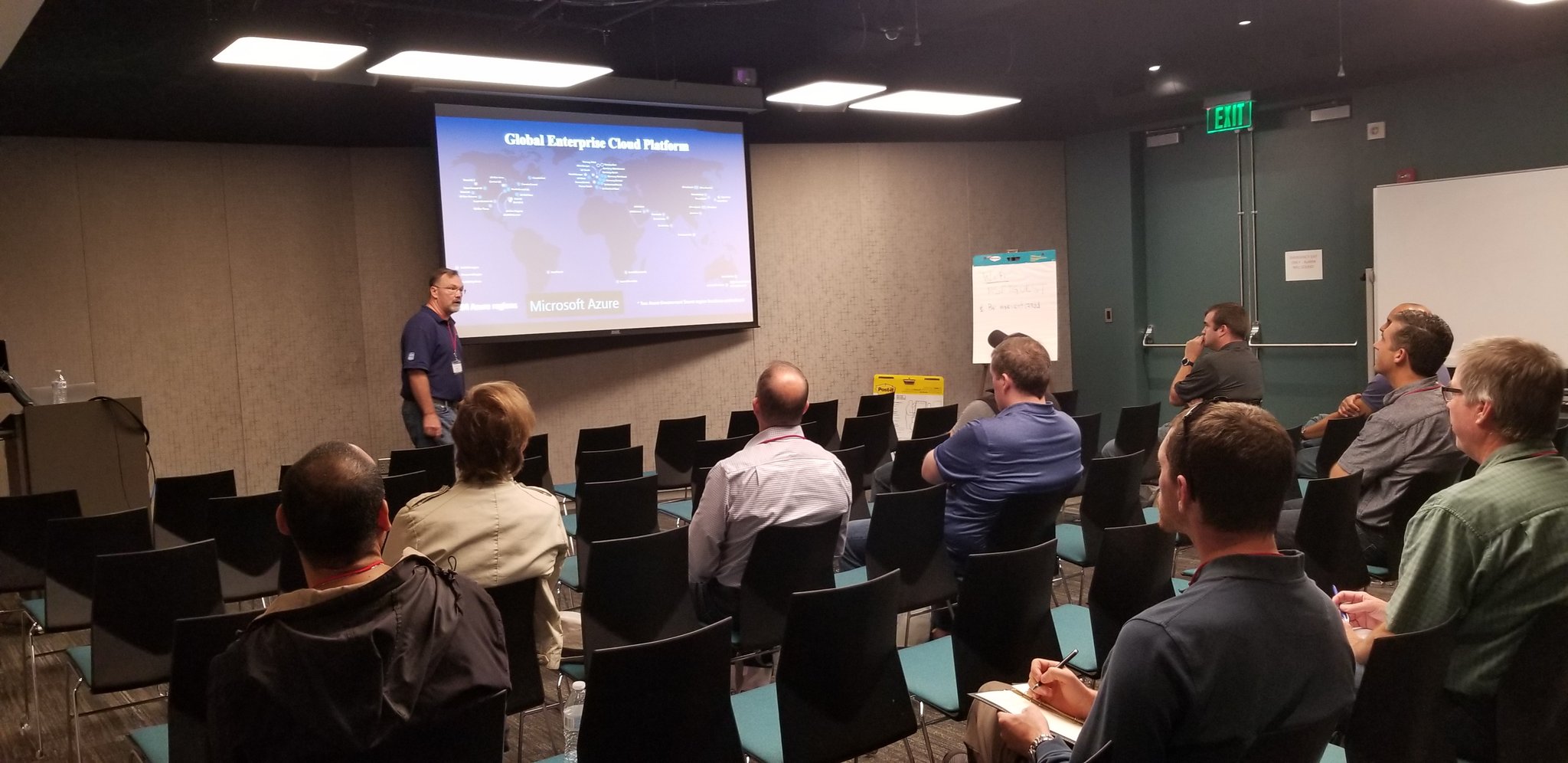
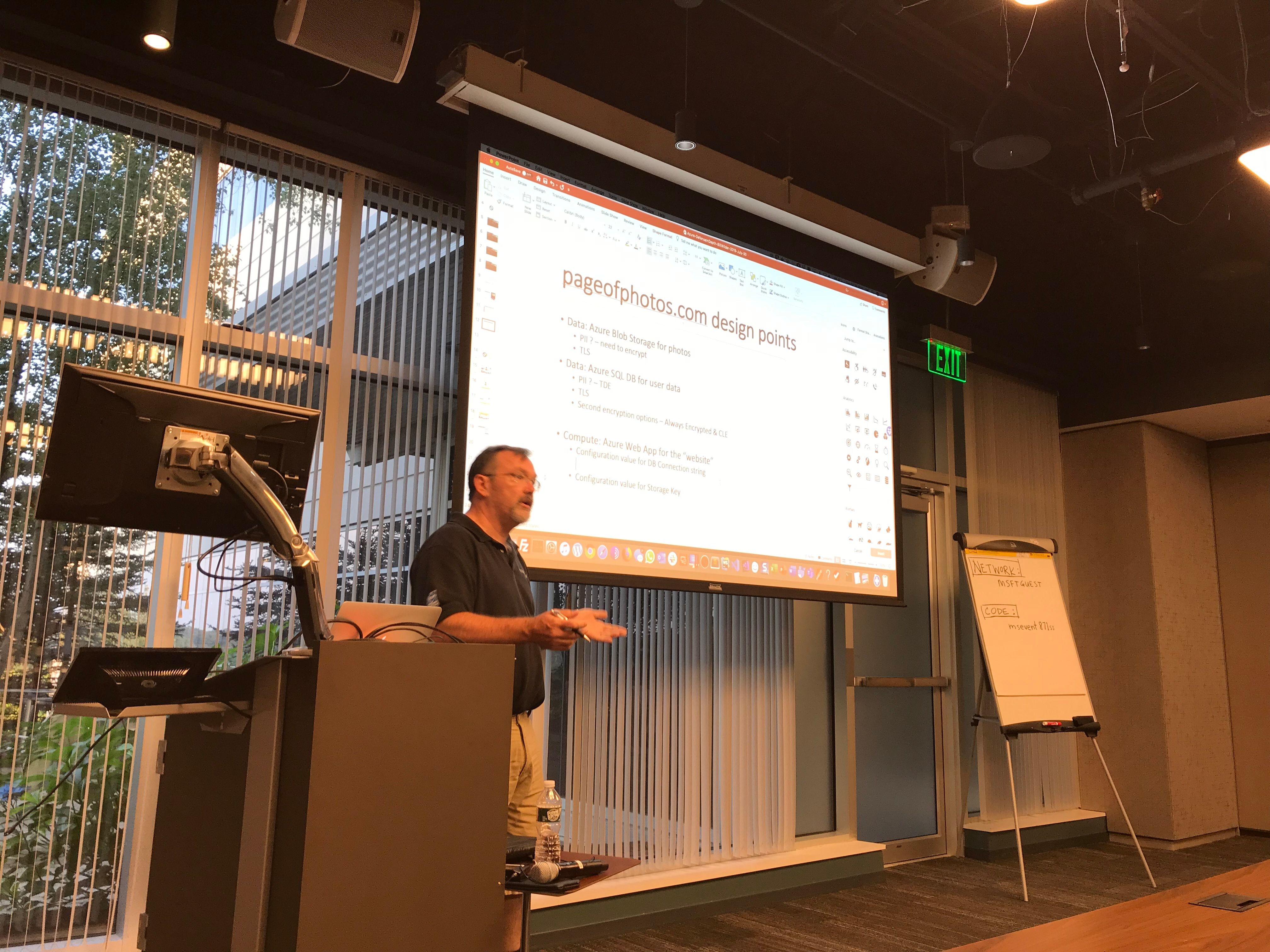
On Tuesday July, 30, 2019 I had the opportunity to speak at North Boston Azure. The talk was part of a series on Running Azure Securely and was called Are all these Azure security features for me? and was not really a “talk” in that it was highly interactive. For those who attended, you will recall we filled in some slides collaboratively. Thus, they may not appear so polished for those of you who did not join live. Either way, please find the slides (“collaborative” and all) below.

highres_483599366

This was an experimental approach for me and the feedback from the audience tells me it worked pretty well. The group at North Boston Azure was already knowledgeable and engaged, so hopefully made for a interesting experience for all involved (was certainly fun for me).

Azure-DefenseInDepth-BillWilder-2019-July-30

You can follow me on Twitter (@codingoutloud).

You can also follow Boston Azure on Twitter (@bostonazure).


Who logged into my #Azure SQL Database?

Ever try to figure out how to track who logged into your Azure SQL database? You checked all the usual ways you might handle that with a SQL Server database, but one-by-one find out they just don’t work. Here’s one way to do it.

To track who is logging into your Azure SQL database, enable auditing (here’s how to do that) with audit entries directed to an Azure storage blob. There are two ways to do this: at the database server level and at the individual database level. Either is fine, but for the example that follows, auditing is assumed to be at the db server level. The example query can be adjusted to work with auditing at the database level, but one of the two auditing options is definitely required to be on!

Run this query to find out all the principals (users) who have logged in so far today into your Azure SQL database.


— Turn on Audit Logging to Blob for your Azure SQL Database. Then you can query who has logged in.
— The example below assumes DB Server-level audit logging. Details will vary slightly for Database-level audit logging.
— The example below shows who logged in so far today.
— Change "-0" to "-1" to look at yesterday (from a UTC perspective, not your local timezone).
— Change "-0" to "-100" to look at 100 days ago.
SELECT FORMATMESSAGE('%s (%s)', CAST(DATEADD(day, -0, CONVERT(date, SYSUTCDATETIME())) as varchar),
DATENAME(WEEKDAY, DATEADD(day, -0, SYSUTCDATETIME()))),
server_principal_name,
COUNT(server_principal_name) as 'Logins'
FROM sys.fn_get_audit_file(FORMATMESSAGE('https://<MYBLOB&gt;.blob.core.windows.net/sqldbauditlogs/<MYDBSERVER>/<MYDB>/SqlDbAuditing_ServerAudit/%s/', 
CAST(DATEADD(day, -0, CONVERT(date, SYSUTCDATETIME())) as varchar)),default, default)
WHERE (event_time >= CAST(CONVERT(date, SYSUTCDATETIME()) as datetime2))AND (action_id = 'DBAS')
GROUP BY server_principal_name
HAVING COUNT(server_principal_name) > 0

The output is something like the following, assuming if I’ve logged in 12 times so far today with my AAD account (bill@example.com) and 1 time with a database-specific credential (myadmin):

09-Nov-2019 (Saturday) codingoutloud@example.com 12

09-Nov-2019 (Saturday) myadmin 1

The query might take a while time to run, depending on how much data you are traversing. In one of my test environments, it takes nearly 20 minutes. I am sure it is sensitive the amount of data you are logging, database activity, and maybe settings on your blob (not sure if premium storage is supported, but I’m not using it and didn’t test with it).

Note: There are other ways to accomplish this, but every way I know of requires use of Azure SQL auditing. In this post we pushed them to blobs, but other destinations are available. For example, you could send to Event Hubs for a more on-the-fly tracker.