Category Archives: Programming

Related to some aspect of programming, software development, related tools, or supporting technologies, related standards, etc.

Quick: How many 9s are in your SLA?

I recently attended an event where one of the speakers was the CTO of a company built on top of Amazon cloud services, the most critical of these being the Simple Storage Service known as Amazon S3.

The S3 service runs “out there” (in the cloud) and provides a scalable repository for applications to store and manage data files. The service can support files of any size, as well as any quantity. So you can put as much stuff up there as you want – and since it is a pay-as-you-go service, you pay for what you use. The S3 service is very popular. An example of a well-known customer, according to Wikipedia, is SmugMug:

Photo hosting service SmugMug has used S3 since April 2006. They experienced a number of initial outages and slowdowns, but after one year they described it as being “considerably more reliable than our own internal storage” and claimed to have saved almost $1 million in storage costs.

Good stuff.

Of course, Amazon isn’t the only cloud vendor with such an offering. Google offers Google Storage, and Microsoft offers Windows Azure Blob Storage; both offer features and capabilities very similar to those of S3. While Amazon was the first to market, all three services are now mature, and all three companies are experts at building internet-scale systems and high-volume data storage platforms.

As I mentioned above, S3 came up during a talk I attended. The speaker – CTO of a company built entirely on Amazon services – twice touted S3’s incredibly strong Service Level Agreement (SLA). He said this was both a competitive differentiator for his company, and also a competitive differentiator for Amazon versus other cloud vendors.

Pause and think for a moment – any idea? – What is the SLA for S3? How about Google Storage? How about Windows Azure Blob Storage?

Before I give away the answer, let me remind you that a Service Level Agreement (SLA) is a written policy offered by the service provider (Amazon, Google, and Microsoft in this case) that describes the level of service being offered, how it is measured, and consequences if it is not met. Usually, the “level of service” part relates to uptime and is measured in “nines” as in 99.9% (“three nines”) and so forth. More nines is better, in general – and wikipedia offers a handy chart translating the number of nines into aggregate downtime/unavailability. (More generally, an SLA also deals with other factors – like refunds to customers if expectations are not met, what speed to expect, limitations, and more. I will focus only on the “nines” here.)

So… back to the question… For S3 and equivalent services from other vendors, how many nines are in the Amazon, Google, and Microsoft SLAs? The speaker at the talk said that S3 had an uptime SLA with 11 9s. Let me say that again – eleven nines – or 99.999999999% uptime. half-an-eye-blinkIf you attempt to look this up in the chart mentioned above, you will find this number is literally “off the chart” – the chart doesn’t go past six nines! But my back-of-the-envelope calculation says it amounts to – on average – less than 32 milliseconds of downtime per year. This is about half what “a blink of your eye” would take – yes, a mere half of an eye-blink. (Which ends with your eyes closed. :-))

This is an impressive number! If only it was true. It turns out the real SLA for Amazon S3 has exactly as many nines as the SLA for Windows Azure Blob Storage and the SLA for Google Storage: they are all 99.9%.

Storage SLAs for Amazon, Google, and Microsoft all have exactly the same number of nines: they are all 99.9%. That’s three nines.

I am not picking on the CTO I heard gushing about the (non-existant) eleven-nines SLA. (In fact, his or her identity is irrelevent to the overall discussion here.) The more interesting part to me is the impressive reality distortion field around Amazon and its platform’s capabilities. The CTO I heard speak got it wrong, but this is not the first time it was misinterpreted as an SLA, and it won’t be the last.

I tracked down the origin of the eleven nines. Amazon CTO Werners Vogels mentions in a blog post that the S3 service is “design[ed]” for “99.999999999% durability” – choosing his words carefully. Consistent with Vogels’ language is the following Amazon FAQ on the same topic:

Q: How durable is Amazon S3? Amazon S3 is designed to provide 99.999999999% durability of objects over a given year. This durability level corresponds to an average annual expected loss of 0.000000001% of objects. For example, if you store 10,000 objects with Amazon S3, you can on average expect to incur a loss of a single object once every 10,000,000 years. In addition, Amazon S3 is designed to sustain the concurrent loss of data in two facilities.

First of all, these mentions are a comment on a blog and an item in an FAQ page; neither is from a company SLA. And second, they both speak to durability of objects – not uptime or availability. And third, also critically, they say “designed” for all those nines – but guarantee nothing of the sort. Even still, it is a bold statement. And good marketing.

It is nice that Amazon can have so much confidence in their S3 design. I did not find a comparable statement about confidence in the design of their compute infrastructure… Reality is that [cloud] services are about more than design and architecture – also about implementation, operations, management, and more. To have any hope, architecture and design need to be solid, of course, but alone they cannot prevent a general service outage which could take your site down with it (and even still lose data occasionally). Some others on the interwebs are skeptical as I am, not just of Amazon, but anyone claiming too many nines.

How about the actual 99.9% “three-nines” SLA? Be careful in your expectations. As a wise man once told me, there’s a reason they are called Service Level Agreements, rather than Service Level Guarantees. There are no guarantees here.

This isn’t to pick on Amazon – other vendors have had – and will have – interruptions in service. For most companies, the cloud will still be the most cost-effective and reliable way to host your applications; few companies can compete with the big platform cloud vendors for expertise, focus, reliability, security, economies-of-scale, and efficiency. It is only a matter of time before you are there. Today, your competitors (known and unknown) are moving there already. As a wise man once told me (citing Crossing the Chasm), the innovators and early adoptors are those companies willing to trade off risk for competitive advantage. You saw it here first: this Internet thing is going to stick around for a while. Yes, and cloud services will just make too much sense to ignore. You will be on the cloud; it is only a matter of where you’ll be on the curve.
Back to all those nines… Of course, Amazon has done nothing wrong here. I see nothing inaccurate or deceptive in their documentation. But those of us in the community need to pay closer attention to what is really being described.  So here’s a small favor I ask of this technology community I am part of: Let’s please do our homework so that when we discuss and compare the cloud platforms – on blogs, when giving talks, or chatting 1:1 – we can at least keep the discussions based on facts.

July Boston Azure User Group – Recap

The July Boston Azure User Group meeting had a tough act to follow: the June meeting included a live, energy-packed Rock, Paper, Azure hacking contest hosted by Jim O’Neil! The winners were chosen completely objectively since the Rock, Paper, Azure server managed the who competition. First prize was taken by two teenagers (Kevin Wilder and T.J. Wilder) whose entry beat out around 10 others (including a number of professional programmers!).

This month’s July Boston Azure User Group meeting was up for the challenge.

Hope to see you at the Boston Azure meeting in August (Windows Phone 7 + Azure), two meetings in September (one in Waltham (first time EVER), and the “usual” one at NERD), and then kicking off a two-day Boston Azure Bootcamp!

Details on ALL upcoming Boston-area events of interest to Azure folks (that I know about) can be found in this blog post about Boston-events in August and September. Those hosted by Boston Azure are also at www.bostonazure.org and the upcoming events page.

Talk: Architecture Patterns for Scalability and Reliability in Context of Azure Platform

I spoke last night to the Boston .NET Architecture Study Group about Architecture Patterns for Scalability and Reliability in Context of the Windows Azure cloud computing platform.

The deck is attached at the bottom, after a few links of interest for folks who want to dig deeper.

Command Query Responsibility Segregation (CQRS):

Sharding is hard:

NoSQL:

CAP Theorem:

PowerPoint slide deck used during my talk:

Platform as a Service (PaaS) is a Business Differentiator

I am a big fan of my friend Jason Haley‘s blog where he posts “Interesting Finds” on a daily basis – always highlighting good reads on many topics relevant to me and so many other developers, architects, and entrepreneurs out in the real world – especially those of us who want to still be relevant next year (and the year after). Some of the areas highlighted are “hard core” topics like Mobile, Web, Database, .NET, and Security; “soft skill” topics like Career, Agile, and Business; and, of course, my favorite: Cloud Computing.

As I was working through the Interesting Finds: June 23, 2011 posts on Cloud Computing I drilled into one from the Official Google Enterprise Blog titled Businesses innovate and scale faster on Google App Engine. It is a very well crafted post which includes some great customer quotes and a couple of videos. I must say, it does a great job of promoting the value in the Google App Engine (GAE) platform, essentially as mini-case studies. Well done!

What struck me as particulary interesting about this post, however, is the types of benefits the GAE customers say they value:

  • The first embedded video features Dan Murray, founder and managing director of a cloud-based SEC-filings company called WebFilings. Mr. Murray mentions they needed a platform that would be secure and would support rapid growth. He goes on (at 1:50 into the video): “Google App Engine provides a platform that takes the infrastructure management off of our hands, we don’t have to worry about it, so it’s easy for us to build and deploy apps. For us right now it’s about execution and making sure that we’re scaling our business, while App Engine provides the ability to scale the technology and platform.”
  • The second embedded video features Jessica Stanton from the famous Evite event invitation site. Ms. Stanton mentions (at 0:52 into the video) “the things that App Engine especially desirable for us are the autoscaling and … monitoring systems” that Google provides. Near the end (at 1:12 into the video) she emphasises: “the opportunity that App Engine has afforded to us is more time to do what we need to do. To just get things done and to get new features out and not have to worry so much about load and things going down because we take on 16-18 million unique users a month.  It’s really nice to see instances spin up and come down and we never had to touch anything.”
  • Quote from Gary Koelling of Best Buy: “… we don’t have to spend any time doing system administration or setting up servers, which allows us to focus on the development and testing new ideas.”

The funny thing is, the benefits touted are really the benefits of Platform as a Service (PaaS). These services could just as easily have been built on the Windows Azure Platform!

  • Mr. Murray from WebFilings mentioned the need for a a platform based on a great security infrastructure. Both Microsoft and Google have some of the industry’s best and brightest working for them in their state-of-the art, world-class data centers. Here are some good resources relating to security in the Windows Azure data centers. If you want a secure data center and secure platform, I don’t think you can go wrong with either Microsoft or Google. (Frankly, I expect you are more likely to have problems – including with cost and security – if you roll your own data center. Your company will not have the top experts in the world on your payroll.)
  • Both Ms. Stanton from Evite and Mr. Koelling of Best Buy emphasize that they benefit from being able to focus on building software – and not being distracted by needing to worry about infrastructure. This is what Platform as a Service (PaaS) is all about. Both Microsoft and Google offer PaaS. GAE supports apps which run on the JVM (e.g., Java) and apps written in Python. Windows Azure supports programming in any .NET language (e.g., C#), plus a plethora of other platforms that run on Windows – PHP, Java, Python, Ruby, C++, and so many more. GAE has database support with a query language they call GQL, and Azure has SQL Azure which supports the regular SQL you know and love. Each platform has other features as well, making it a place where you can focus on your app – not your infrastructure.
  • Ms. Stanton mentions that they have a team of 5 developers. I wonder how large the Evite team would need to be if they were not running on PaaS?

Mr. Murray from WebFilings mentions that they began using GAE back 2008 – and the Windows Azure Platform was not announced until late in 2008 (at Microsoft PDC in November 2008), so that was not an option yet for them. It is not mentioned when the other companies began to use GAE. If they were starting today, I wonder how many would choose Azure?

Using PowerShell with Windows Azure

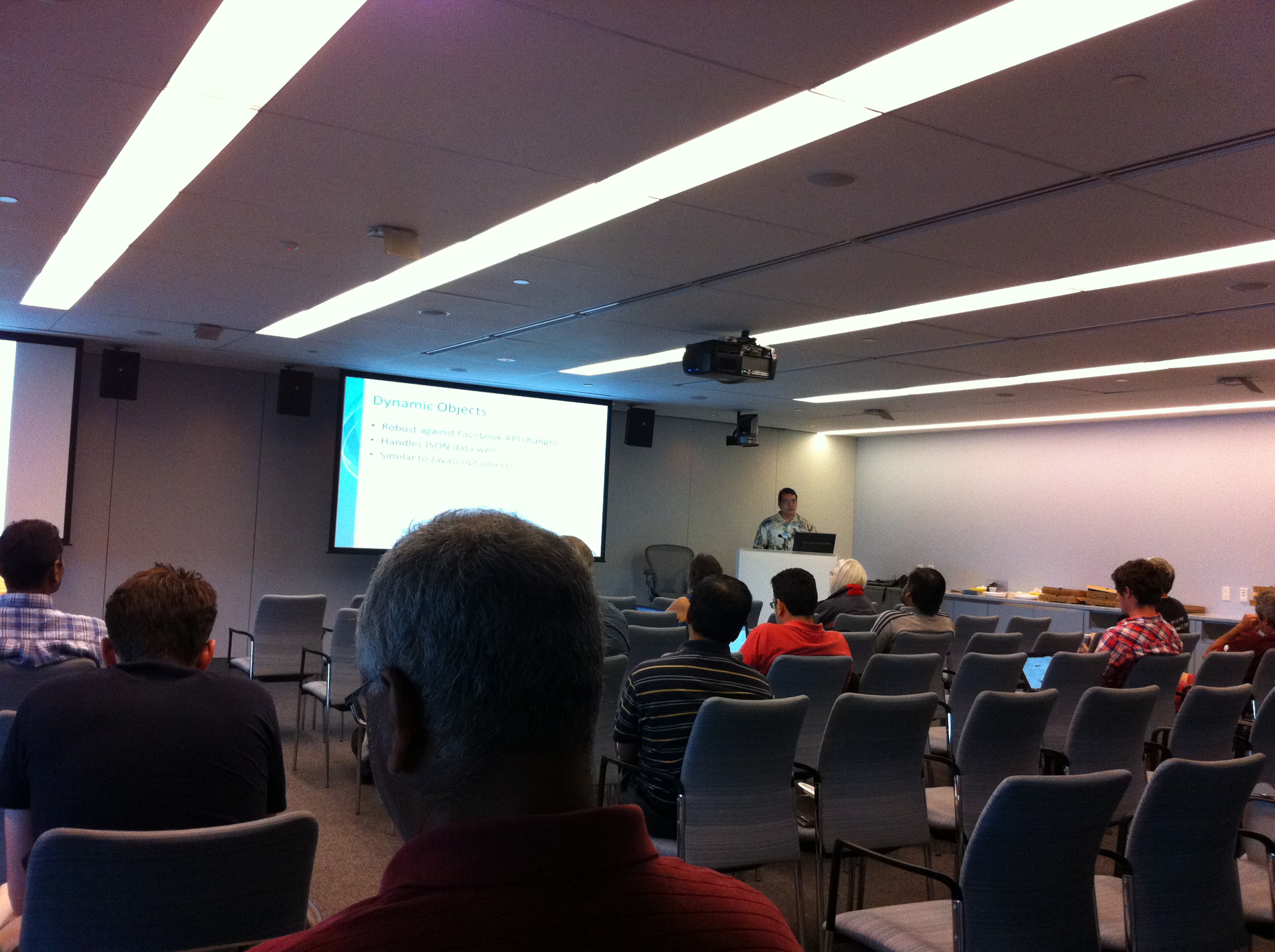
At the May 26, 2011 Boston Azure User Group meeting, Joel Bennett – a Microsoft PowerShell MVP from the Rochester, NY area – spoke about PowerShell basics, then got into a bunch of useful ways PowerShell can be applied to Windows Azure. We had around 25 people at the event.

[Update 23-June-2011: Joel Bennett posted his slide deck from the talk.] 
[Update 05-July-2011: Added another handy link to post from Patrick Butler called Developing and Debugging Azure Management API CmdLets.]

Some of the pointers:

  • Go get the PowerShell Community Extensions (from codeplex)
  • You can use the PS command line to CD into folders/directories, look at files, etc. — but you can also look at the Registry or your Certificate Store as if they were directories!
  • There are no plural nouns in PS (e.g., get-provider, not get-providers)
  • Learn these commands first: Get-Command, Get-Help, Get-Member, Select-Object, Where-Object, Format-Table, … others you can learn later
  • Somebody needs to write a PowerShell Provider for Azure Storage
  • Joel created an open-shell WPF-ish PowerShell shell called POSH

Try some commands:

  • dir | get-objec
  • dir | fl *  —formats as lis
  • get-verb | fw -col
  • get-verb | fw -col 6 -groupby Group
  • Get-ExecutionPolicy
  • dir | where { $_.PSIsContainer } — where $_ is “the thing over there (directory)”
  • dir | select CreationTime, Name | gm
  • dir | select * —will look different than command above
  • $global:foo = “some value”
  • cd c:\windows\system32\windowspowershell\v1.0… see Help.format.ps1xml controls the default output formatting properties for object types not already known by PowerShell – can have property names, even script blocks in it – very powerful
  • # is single-line comment char; <# … #> for multi-line comments
  • You can create aliases for scripts
  • Powershell is an interpreted scripting language
  • Can access WinForms, WPF, lots of stuff.. though not Threading

Three ways to manage Azure from PowerShell

  1. Remoting
  2. WASM (Windows Azure Services Management commandlets) – superceded by http://wappowershell.codeplex.com/ – developed by Development Evangelist group (e.g., Vittorio)
  3. Cerebrata (3rd party, commercial)

Remoting:

  • Need to get some goodness in a Startup Script, along with crecentials
  • Set OS Family = 2 (so you get Windows Server 2008 R2)
  • Need a certificate – can be self-signed

WAP PowerShell:

  • 36 Cmdlets
  • “the 80% library”
  • very good example

Cerebrata Cmdlets

  • Requires .NET 4.0 (which is different than baseline support for PS, which is .NET CLR 2.0
  • $70
  • 114 Cmdlets
  • Cerebrata
  • gcm –mo cerebrata | gr0up Noun | sort

Snap-ins need to be in the GAC – so put WAP PowerShell stuff where you want to keep them, since that’s where they’ll be built — or build the file in Visual Studio

  • Add-Module is for SNAPINS
  • IPMO is for ImportModule for Modules
  • ipmo AzurePlatform
  • gcm –mo AzurePlatform

PowerShell has something called “splatting”

  • Starting with a hashtable… put in the parms you’ll need
  • variables start with $
  • retrieving (splatting) starts with @

Both cerebrata and WAP are snap-ins

WHAT FOLLOWS… are somewhat random notes I captured…

Get-Certificate $azure | Get-HostedCertificateStore

Your personal profile for PowerShell lives in c:\Users\YOURNAME\Documents\WindowsPowerShell\Modules\AzurePlatform as Startup.ps1 (?)

Two kinds of errors in PowerShell: 1. Terminating Errors (exceptions, can be “trapped” or use try/catch as of PS2) and 2. Non-Terminating Errors which are harder to deal with

$? ==> did the last command succeed

dir doesnotexist –ev er –ea “”

$er[0].categoryinfo

“Don’t Produce Snap-ins!” Here’s why: to figure out what is in there (get-command –Module

Get-Module –ListAvailable

– run the above on AZure and see “NetworkLoadBalancingCl…” – is this Azure relate

OTHER INTERESTING POWERSHELL/AZURE LINKS


Writing to Azure Local Storage from a Windows Service

As you may know, Windows Azure roles do not generally write freely to the file system. Instead of hard-coding a path into our code, we declare in our service model that we plan to write data to disk, and we supply it with a logical name. We can declare multiple such logical names. Windows Azure uses these named locations to provide us managed local, writeable folders which it calls Local Storage.

To specificy your intent to use a Local Storage location, you add an entry to ServiceDefinition.csdef under the specific role from which you plan to access it. For example:

<LocalStorage name="LocalTempFolder" sizeInMB="11"
      cleanOnRoleRecycle="true" />

You can read more about the details over in Neil Mackenzie’s post, but the main thing you need to do is call a method to access the full path to the read/write folder associated with the name you provided (e.g., “LocalTempFolder” in the config snippet above). The method call looks like this:

LocalResource localResource =
      RoleEnvironment.GetLocalResource("LocalTempFolder");
var pathToReadWriteFolder = localResource.RootPath;
var pathToFileName = pathToReadWriteFolder + "foo.txt";

Now you can use “the usual” classes to write and read these files. But calling RoleEnvironment.GetLocalResource only works from within the safe confines of a your Role code – as in a Worker Role or Web Role – you know, the process that inherits from (and completes) the RoleEntryPoint abstract class. What happens if I am inside of a Windows Service?

Your Windows Service Has Super Powers

Well… your Windows Service does not exactly have Super Powers, but it does have powers and abilities far above those of ordinary Roles. This is due to the differences in their security contexts. Your Windows Service runs as the very powerful LocalSystem account, while your Roles run as a lower priviledge user. Due to this, your Windows Service can do things your Role can’t, such as write to the file system generally, access Active Directory commands, and more.

[Your Startup Tasks might also have more powers than your Roles, if you configure them to run with elevated privileges using executionContext=”elevated” as in:
<Task commandLine=”startuptask.cmd” executionContext=”elevated” />
See also David Aiken’s post on running a startup task as a specific user.]

However, there are some things your Windows Service can’t do, but that your Role can: access RoleEnvironment!

Problem Querying Local Storage from a Windows Service

Inside of a Windows Service (which is outside of the Role environment), the RoleEnvironment object is not populated. So, for example, you cannot call

RoleEnvironment.GetLocalResource("LocalTempFolder")

and expect to get a useful result back. Rather, an exception will be raised.

But here’s a trick: it turns out that calling RoleEnvironment.GetLocalResource returns the location of the folder, but it is just the location of a folder on disk at this point – this folder can be accessed by any process that knows about it. So how about if your Web  or Worker Role could let the Windows Service know where its storage location happens to be? (As an aside, we have a good idea where they might ultimately end up on disk in practice (see last section of this post) – but of course subject to variability and change – but it is useful if you want to poke around on your local machine or through Remote Desktop to an instance in the cloud.)

The Trick: Pass the Local Storage location into your Windows Service

If you are deploying a Windows Service along with your Role, you will need to install the Windows Service and you will need to start the Windows Service. A reasonable way to install your Windows Service is to use the handy InstallUtil.exe program that is included with .NET. Here is how you might invoke it:

%windir%\microsoft.net\framework\v4.0.30319\installutil.exe
      MyWindowsService.exe

Now the Windows Service is installed, but not running; you still need to start it. Here is a reasonable way to start it:

net start MyWindowsServiceName

Typically, both the InstallUtil and net start commands would be issued (probably in a .bat or .cmd file) from a Startup Task. But there is another way to start an installed Windows Service which allows some additional control over it, such as the ability to pass it arguments. This is done with a few lines of code from within the OnStart method of your Role, such as in the following code snippet which uses the .NET ServiceController class to get the job done:

var windowsServiceController =
      new System.ServiceProcess.ServiceController
            ("MyWindowsServiceName");
System.Diagnostics.Debug.Assert(
      windowsServiceController.Status ==  
      windowsServiceControllerStatus.Stopped);
windowsServiceController.Start();

Putting together both acquiring the Local Storage location and starting the Windows Service, your code might look like the following:

string[] args = { 
      RoleEnvironment.GetLocalResource
            ("LocalTempFolder").RootPath
      }
var windowsServiceController =
      new System.ServiceProcess.ServiceController  
            ("MyWindowsServiceName");
System.Diagnostics.Debug.Assert(
      windowsServiceController.Status == 
      windowsServiceControllerStatus.Stopped);
// pass in Local Storage location
windowsServiceController.Start(args);

Within your Windows Service’s OnStart method you will need to pick up the arguments passed in, which at that point has nothing specific to Azure. Your code might look like the following:

protected override void OnStart(string[] args)
{
   var myTempFolderPath = args[0];
   // ...
}

That oughta do it! Please let me know in the comments if you find this useful.

June 2011 Azure Cloud Events in Boston Area

Are you interested in Cloud Computing generally, or specifically Cloud Computing using the Windows Azure Platform? Listed below are the upcoming Azure-related events in the Greater Boston area which you can attend in person and for FREE (or at least inexpensively).

Since this summary page is – by necessity – a point-in-time SNAPSHOT of what I see is going on, it will not necessarily be updated when event details change. So please always double-check with official event information!

Know of any more cloud events of interest to the Windows Azure community? Have any more information or corrections on the events listed? Please let us know in the comments.

They are listed in the order in which they will occur.

[10-June-2011 – added the New England ASP.NET Professionals User Group talk on June 15; I am the featured speaker. Moved Kyle Quest’s cloud hackathon to new date: June 16.]

1. 24 Hours in the Cloud – Cloud Scalability Patterns for the Windows Azure Platform

Note: GITCA’s 24 Hours in the Cloud event begins on Wed June 1 and ends on Thu June 2. This post just highlights the talk I am giving. There are MANY OTHER talks you may wish to check out. Many of the talks are IT Pro-oriented.

  • when: Thurs June 2, 5:00 – 6:00 AM (yes, in the MORNING, Boston time) [changed to earlier still! I was rescheduled to begin at 5:00 AM!]
  • where: Online – see below for registration
  • cost: Free
  • what: Talk on scalability patterns that are important for cloud applications; my session consists of a 40 minute (pre-recorded) talk, followed by 20 minutes of live Q&A. Since the talks are pre-recorded, speakers will be able to respond to questions from Twitter during the talk (then again in the live Q&A at the end) via the #24HitC hashtag. My twitter handle is @codingoutloud.
  • more info & Register: http://sp.gitca.org/sites/24hours
  • twitter: #24HitC

2. CloudCamp Boston

3. Beantown .NET Meeting – Architecture Patterns for Scalability and Reliability

4. Hack the Cloud – Cloud Platform Bake-Off

Moved to June 16th – see below

5. New Hampshire Code Camp – Concord, NH

  • when: Sat 04-June-2011, 8:00 – 4:00 PM
  • where: New Hampshire Technical Institute 31 College Drive Concord, NH 03301
  • wifi: not sure
  • food: I think they do dinner afterwards
  • cost: FREE
  • what: In the Code Camp spirit, come learn many things from many people!
  • more info: here or at www.nhdn.com
  • register: here
  • twitter: (not sure)

6. The Architect Factory

  • when: Thu 09-June-2011, 1:00 – 8:00 PM
  • where: Hosted at NERD Center
  • wifi: Wireless Internet access will be available
  • food: (not sure of details yet)
  • cost: FREE
  • what: Real, Practical Guidance on becoming and Architect, or becoming a Better Architect
  • more info: http://architectfactory.com/
  • register: http://architectfactory-eorg.eventbrite.com/
  • twitter: #architectfactory or #af3 (not sure which is “official”)

7. New England ASP.NET Professionals Group

  • when: Wed 25-June-2011, 6:15 – 8:30 PM
  • where: Microsoft Office on Jones Road, Waltham
  • wifi: no
  • food: group does to dinner afterwards
  • cost: FREE
  • what: A talk that introduces Cloud Computing and the Windows Azure Platform and shows how it relates to the ASP.NET developer – tools, libraries, and how to build and deploy.
  • more info: http://neasp.net/
  • register: see http://neasp.net/
  • twitter: (not sure)

8. Hack the Cloud – Cloud Platform Bake-Off

9. 4th Annual Hartford Code Camp

  • when: Sat 18-June-2011, 8:00 – 5:30 PM
  • where: Hosted at New Horizons Learning Center (Bloomfield CT)
  • wifi: Wireless Internet access will be available
  • food: Pizza and drinks will be provided
  • cost: FREE
  • what: In the Code Camp spirit, come learn many things from many people!
  • more info: http://ctdotnet.org/
  • register: see http://ctdotnet.org/ until a direct link is published
  • twitter: (not sure)

10. Boston Azure User Group meeting: Rock, Paper, Azure Event!

  • when: Thu 23-June-2011, 6:00 – 8:30 PM (come at 5:30 if you need help getting set up)
  • where: Hosted at NERD Center
  • wifi: Wireless Internet access will be available
  • food: Pizza and drinks will be provided
  • cost: FREE
  • what: Bring your Windows Azure-ready laptop (or get a loaner, or pair up with someone) as we go head-to-head in an Azure programming contest (it is a simple game, but you will compete with others in the room). Also, there will be prizes – like an Xbox 360, Kinect, and other goodies.
  • more info: See Boston Azure cloud user group site for details or see Jim O’Neil’s blog post on the event. Of special note is to request your free account (no credit card, etc. – easy), following details on Jim’s post – takes only a minute of YOUR time, but will help make sure you don’t need to wait for it on Thurs night – do it NOW! 🙂
  • register: here
  • twitter: #bostonazure

11. Maine Bytes: Azure State of the Union

  • when: Thu 30-June-2011, 6:00 – 8:00 PM
  • where: Unum’s Home Office 3 building at 2211 Congress Street in Maine
  • wifi:
  • food:
  • cost: FREE
  • what: Ben Day will give a talk: “Microsoft’s Azure platform moves fast and new features get added all the time. It can definitely be tough to keep up. In this session, Ben will give you a tour around the current features and offerings in Azure with some tips on how to use them in your applications and how to integrate Azure into your software development process.”
  • more info: See http://www.mainebytes.org/ for details
  • register:
  • twitter:

Coming in July:

  • Boston Azure User Group meeting on July 28
  • And more? Please let me know in the comments if you know about an event relevant to those who care about the Windows Azure Platform

Omissions? Corrections? Comments? Please leave a comment or reply on the Twitters!

Spoke about Azure and Cloud at New Hampshire .NET User Group

I was the guest speaker at the May 25th meeting of the New Hampshire .NET (NHDN) user group in Concord, NH at the New Hampshire Technical Institute.

Here is the slide deck I used for the talk: Demystifying Cloud Computing and the Windows Azure Platform.

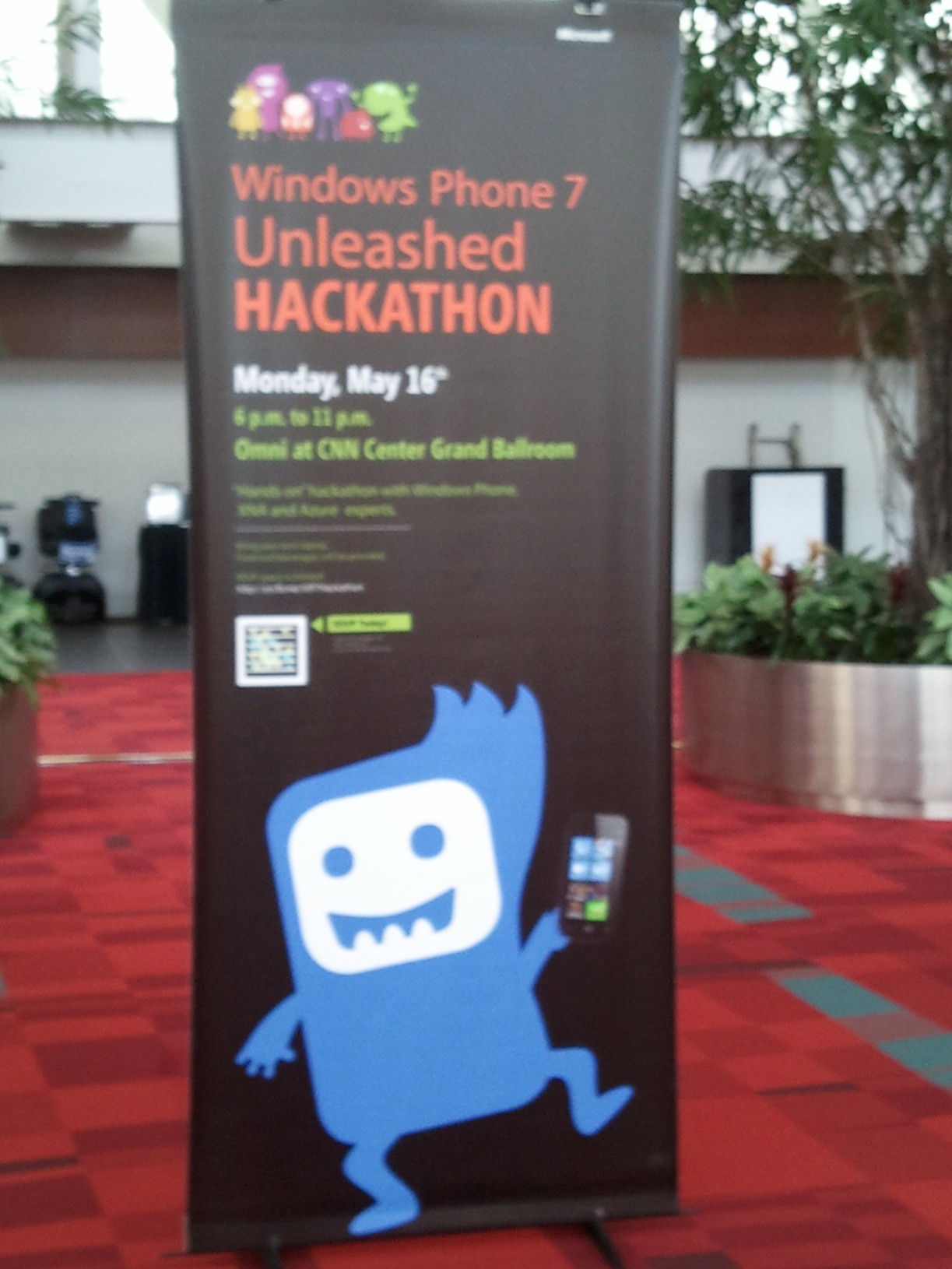
Join the TechEd Windows Phone 7 Unleashed Hackathon

Windows Azure + Windows Phone 7 = Better Together!

Find out why on Monday May 16 @ TechEd in Atlanta – at the FREE After-Hours Dinner-Included Hackathon!

Windows Phone 7 Unleashed Hackathon
Monday, May 16, 2011
6:00 PM to 11:00 PM
Register: http://bit.ly/RegWP7Hackathon

Don’t miss this opportunity to get hands-on help with your Windows Phone 7 app, from the experts!

This is a “hands on” hackathon where you will learn from Windows Phone 7, XNA and Azure experts how to build, scale and publish your Windows Phone 7 app or game. If you are just a beginner, or already have apps in the Marketplace this event should not be missed.

Come hear about new developments that will help you combine the power of the Windows Phone with the Windows Azure cloud platform.

BYO Laptop! And prepare yourself for an energetic evening of fun, learning, and accomplishment!

RSVP early, as space is limited to 300 attendees: http://bit.ly/RegWP7Hackathon

Food, beverages and refreshments will be provided.

Cure for “NO INSTALLATION MEDIA” Error when Zune Installer Can’t Find the Media for Installation Package

How I got around Zune’s “NO INSTALLATION MEDIA” and “Can’t Find the Media for Installation Package” error

 I recently reinstalled Windows 7 on one of my computers and in rebuilding my development tool set, including for Windows Phone, and found I could not run a Windows Phone 7 project locally: Visual Studio complained I did not have the Zune software installed. Okay, not a problem; I will install Zune. But not so fast…

I encountered the following mysterious error while trying to install the Zune software to my Windows 7 desktop.

What does this Zune error message mean?

 
Looking at the text of the message did not help me or yield obvious clues:

NO INSTALLATION MEDIA

Can’t find the media for installation package ‘Windows Media Format SDK’. It might be incomplete or corrupt.

Error code: 0x80070002

Searching around the internets did not help, though I saw a reference to do a few things, one of which was to install the latest Windows Media Player. Well… it turns out, I had NO version of the Windows Media Player installed, so I simply installed the latest, and the Zune installer was happy…

One more step

But Visual Studio 2010 was NOT yet willing to allow me to run the Windows Phone 7 emulator to test and debug my Windows Phone applications. I saw the following additional (but improved!) errors from Visual Studio.

First, could not deploy. Nothing new here:

But the reason provided looked more promising:

This is a better known error, easily rectified. Simply switch to the emulator if your project is referencing an attached device, done at the top of Visual Studio as shown here:

Okay… now back to Windows Phone 7 development – of course, with a Windows Azure back-end using the Windows Azure Toolkit for Windows Phone 7.